
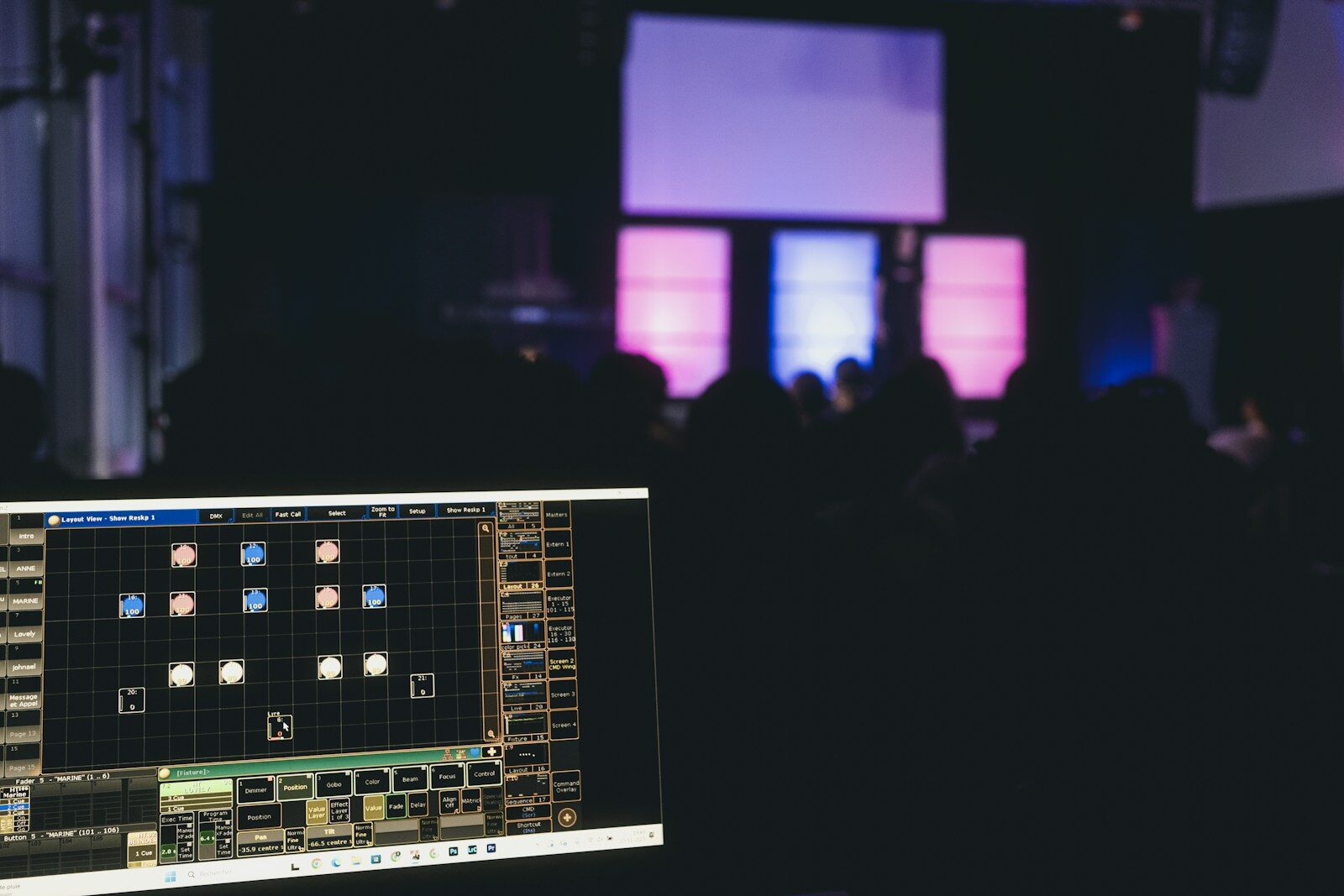
A DMX controller is the device that tells your lights what to do. It sends digital instructions — over the DMX512 protocol — to dimmers, LED fixtures, moving heads and more, setting each one’s intensity, color and movement. In short, it’s the brain of a lighting rig, and everything else in the system exists to carry out its commands. This explainer covers what DMX is, what a controller actually does, and where the line sits between a hobby box and a professional console.
What DMX actually is
DMX512 is the standard digital language of stage lighting. A single DMX universe carries 512 channels, and each channel is one instruction — for example, the intensity of a dimmer or the red value of an LED. A fixture uses one or more channels depending on its features: a simple dimmer needs just one, while a moving head with pan, tilt, color, gobo and more can consume a couple of dozen. When a rig outgrows 512 channels, you simply add more universes, and modern networks carry many of them over a single Ethernet cable. That channel-by-channel model is what makes DMX so flexible: any fixture that speaks it can be patched into the same system regardless of who made it.
What a DMX controller does
Three core jobs:
- Patch — tell the controller which fixtures are connected and at which addresses, so it knows what each channel is talking to.
- Program — build looks, cues and effects, from a simple color wash to a timed sequence that runs itself.
- Play back — trigger those looks live, on faders, buttons or a timed sequence, in the order the show demands.
A basic controller might only set channels manually, one level at a time; a professional console adds programming depth, effects engines, networking across many universes and the reliability to run a whole show without faltering. The gap between the two is less about the number of knobs and more about how much the desk can do for you when the pressure is on.
Controller vs console: hobby vs professional
“DMX controller” is a broad term. At the cheap end it means DJ boxes and free software with a USB dongle — fine for a few simple fixtures and static looks. At the professional end, people say lighting console (US) or lighting desk (UK) — a serious instrument built for real production work, with the programming depth and reliability a paying show requires. The word on the box tells you little; the feature set and build quality tell you everything. If you’re choosing for professional use, start with our guide to professional DMX lighting controllers.
Universes and channels: how big can it get?
The size of show a controller can run is defined by how many channels — outputs, or parameters — it can drive. Small rigs live happily in one or two universes; large touring and theatre rigs run dozens, distributed over a network using Art-Net and sACN. Those network protocols pack many universes onto ordinary Ethernet, so a single cable can carry what once demanded a tangle of separate DMX lines, and nodes convert the network back to physical DMX right where the fixtures hang. When you compare controllers, output count is the clearest measure of how far each one will scale as your rig grows. Knowing that maximum up front saves you from buying a desk that can’t keep up — it’s the single specification that most often forces an early, avoidable upgrade, so it’s worth pinning down before anything else.
FAQ
Do I need a DMX controller?
If you want to control more than a couple of simple fixtures — and especially anything with color or movement — yes. It’s what makes coordinated, repeatable lighting possible instead of a manual scramble at the wall dimmer.
Hardware controller or software?
Both exist. Professional platforms offer a PC version that drives DMX through a hardware interface — a flexible, affordable way to learn a real environment and keep a backup ready. See our professional buyer’s guide for the full picture.
What’s a DMX universe?
One universe is 512 channels of control. Each fixture uses one or more channels, and when you run out you add another universe — large rigs simply run many universes over a network.
Photo credit: Unsplash
See lighting consoles on Gear4music →
This page contains affiliate links. If you buy through them, we may earn a commission at no extra cost to you.
💡 Essential accessories for your lighting console
This page contains affiliate links. If you buy through them, we may earn a commission at no extra cost to you.
- DMX cable, 5-pin, 5 m : Stairville PDC5CC 5,0 m
- DMX terminator, 5-pin : Stairville DMX Terminator XLR 5-Pol
- DMX splitter, 2 outputs (3/5-pin) : Enttec D-Split (XLR 3 et 5 broches)
- USB gooseneck lamp : Adam Hall SLED 1 Ultra USB