πŸ’‘ Expert tests, comparisons & guides β€’ DMX Β· Art-Net Β· RDM β€’ From club to theatre

Category: Reviews

  • ChamSys MagicQ Review: Free Software, Serious Power

    ChamSys MagicQ Review: Free Software, Serious Power

    ChamSys MagicQ has a long-standing reputation as the value and accessibility champion of lighting control: powerful, busking-friendly, and backed by genuinely free software. For students, budget rigs and live operators, the consensus is that it punches far above its price. Here is an honest round-up of what operators actually report, presented as a synthesis of community opinion rather than a hands-on test.

    Where these takes come from

    A synthesis of recurring opinions across English-speaking communities (r/lightingdesign, ControlBooth, the Blue Room) and MagicQ operators. See also our DMX software guide. The framing stays honest throughout: these are the patterns that recur among operators, not first-hand bench findings.

    What operators love

    Free, fully-featured software

    The headline everywhere: MagicQ PC is free and genuinely full-featured. You can learn and program the whole system at no cost, with generous free DMX output when paired with a ChamSys interface. For students and tight budgets, operators call this combination unmatched β€” the entire professional environment is available to anyone willing to download it, and you only spend money on hardware when you are ready.

    Powerful and busking-friendly

    Feature for feature, operators say MagicQ rivals far pricier desks, and they praise it especially for fast, on-the-fly busking of live shows. The depth is there when you need it, but the live workflow is quick enough to keep up with a show being driven in real time β€” a balance that wins it a lot of loyal live users.

    Affordable hardware

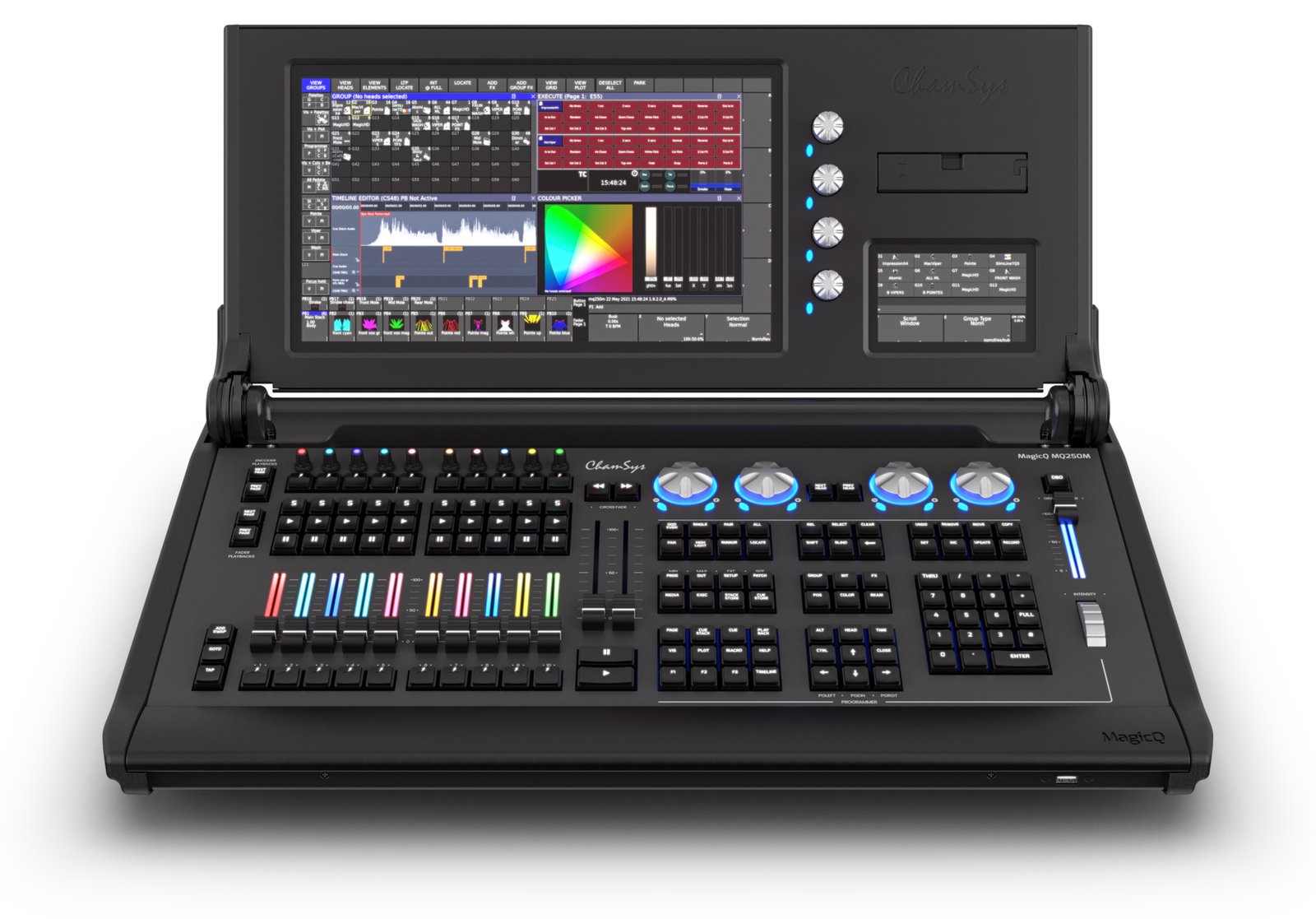
    The MQ range β€” from the compact MQ50 and MQ70 up to the large Stadium β€” brings real console control at accessible prices. Operators who learn on the free PC software find the step up to matching hardware affordable, which makes the whole platform feel like a coherent, budget-conscious path from bedroom to gig.

    A strong, helpful community

    An active user base, plentiful tutorials and responsive support make the learning curve manageable. Operators repeatedly credit the community with getting them unstuck, and that depth of shared knowledge is a real part of what you buy into with MagicQ.

    What operators flag

    1. The UI is less polished

    The most common caveat: MagicQ’s interface can feel cluttered or less refined than grandMA or Eos. It is powerful, but operators are candid that it is not the prettiest desk to learn, and some of the early friction comes from a UI that prioritizes capability over gloss.

    2. Build of the cheapest units

    The budget consoles are described as functional rather than tour-tank rugged. They do the job, but operators temper expectations about the cheapest units enduring years of heavy touring the way flagship metal does.

    3. Less of a top-tier rider standard

    For the very biggest shows, grandMA and ETC remain the expected desks. MagicQ is far more common on budget and mid-level gigs, so if top-tier rider ubiquity matters to your career, that is worth weighing.

    4. A learning curve and occasional quirks

    Deep software means real time to master, and operators note the odd quirk to work around. None of it is a dealbreaker, but it is honest to say the power comes with some rough edges.

    Who it’s really for

    MagicQ is ideal for students, budget rigs, busking and live operators who want serious power without the flagship price β€” and the free software makes it, by consensus, the best way to learn lighting control at home. For top-tier touring, see our grandMA coverage; for theatre, ETC Eos.

    My honest take

    The editorial synthesis is clear: ChamSys MagicQ is the value and learning champion. Free, powerful software plus affordable hardware is an unbeatable combination for anyone on a budget or starting out. Accept a less polished UI and a few quirks, and you get an enormous amount of capability for the money β€” arguably more per dollar than anything else on the market. See our pro DMX controller guide.

    FAQ

    Is ChamSys MagicQ software really free?

    Yes β€” MagicQ PC is free and full-featured, with generous free DMX output via a ChamSys interface. Operators widely rate it as a superb, low-cost way to learn the platform.

    Is MagicQ good for live/busking?

    Very β€” operators rate it highly for fast, on-the-fly busking of live shows, and it is one of the platform’s strongest suits.

    MagicQ or grandMA?

    MagicQ for value, free software and budget or mid-level gigs; grandMA for the biggest tours where it is the rider standard. Choose by budget and the scale of shows you work.

    Is the build quality good?

    The higher models are solid; the caveat operators raise is that the cheapest units are functional rather than ruggedized for heavy touring.

    Image: ChamSys PC-Wing by Titanic97, CC BY-SA 3.0, via Wikimedia Commons.

  • ETC Eos Review: The Theatre Lighting Standard

    ETC Eos Review: The Theatre Lighting Standard

    In theatre β€” especially in the US and in education β€” one console family rules: the ETC Eos line, spanning the Element, Ion Xe, Gio, Eos Ti and Eos Apex. Built around a command-line, cue-based workflow, it is the desk most lighting designers learn on, and its grip on scripted production is hard to overstate. Here is an honest round-up of what operators actually report, framed as a synthesis of community opinion rather than a hands-on test.

    Where these takes come from

    A synthesis of recurring opinions across English-speaking communities (r/lightingdesign, ControlBooth) and theatre/education operators. See also our ETC console guide. Everything below reflects what operators consistently say, not first-hand bench testing.

    What operators love

    The theatre workflow king

    The headline is unambiguous: for cue-based theatre, operators say nothing beats the Eos command-line, cue stacks and magic sheets. They describe the workflow as fast, logical and purpose-built for scripted shows β€” write the show once and play it back identically every night. Designers who have internalized the syntax talk about it the way musicians talk about an instrument they no longer have to think about.

    Ubiquity in theatre and education

    Eos is the standard in countless theatres and schools, and that comes up constantly as a career argument. Learn Eos and you can walk into almost any theatre gig and know the desk. That portability of skill is, for many operators, as valuable as any single feature β€” it is the reason so many programs teach it first.

    One software, free Nomad to learn

    The Eos software is consistent across all the hardware, from the entry Element up to the Apex, so a show file and a skill set move cleanly across the range. On top of that, ETC Nomad lets you run the full software on a laptop for free (DMX via gateways), which operators repeatedly call out as a gift for students learning at home.

    Support, training and reliability

    ETC’s documentation, training resources and support are widely praised, and the desks themselves are described as rock-solid. For institutional venues that cannot afford a failure mid-run, that reliability and the backing behind it are a big part of the appeal.

    What operators flag

    1. More theatre than busking

    Eos is superb for cue-based work, but for on-the-fly busking of EDM sets or bands, many operators find grandMA or ChamSys faster β€” though they are quick to note Eos is perfectly capable when you know it. It is a matter of what the desk optimizes for.

    2. Cost climbs with the range

    The Element and Ion are attainable, but the Gio, Ti and Apex are serious investments. The platform scales beautifully, and so does the price, so budget expectations should track the model you are eyeing.

    3. The command syntax has a learning curve

    The command-line approach is powerful but takes time to internalize for newcomers. The payoff is speed once it is second nature; the cost is a genuine ramp before you get there.

    4. Free Nomad still needs gateways for DMX

    Learning on Nomad is free, but real output requires ETC gateways β€” so budget for the hardware path when you move from practicing to actually driving fixtures.

    Who it’s really for

    Eos is the choice for theatre, education and cue-based production, and for anyone building a theatre career where it is the expected desk. For touring and festival busking, see our grandMA coverage; for value, ChamSys. See also our theatre console guide.

    My honest take

    The editorial synthesis is straightforward: if you do theatre, learn Eos. It is the standard, the workflow is unmatched for cues, and free Nomad makes it genuinely easy to start. It is less of a busking desk and the upper models are pricey, but for scripted shows it is the benchmark everyone else is measured against. Weigh the command-line learning curve going in, and the career return on learning it is hard to beat.

    FAQ

    Is ETC Eos good for theatre?

    It is the theatre standard β€” cue stacks, the command line and magic sheets make it the benchmark for scripted shows, and it is the desk most theatre operators learn on.

    Can I learn Eos for free?

    Yes β€” ETC Nomad runs the full software on a laptop at no cost; the one caveat is that real DMX output needs ETC gateways.

    ETC Eos or grandMA?

    Eos for theatre and cue-based work; grandMA for touring, festivals and busking. The honest answer is to pick by the kind of shows you actually do.

    Which Eos console should I start with?

    The Element or Ion Xe are the attainable entry points; the Gio, Ti and Apex are for larger, higher-budget productions. Because the software is shared, starting small still teaches you the whole platform.

    Image: ETC Ion XE20 by Masonvanmeurs, CC BY-SA 4.0, via Wikimedia Commons.

  • grandMA3 Review: The Industry-Standard Lighting Console

    grandMA3 Review: The Industry-Standard Lighting Console

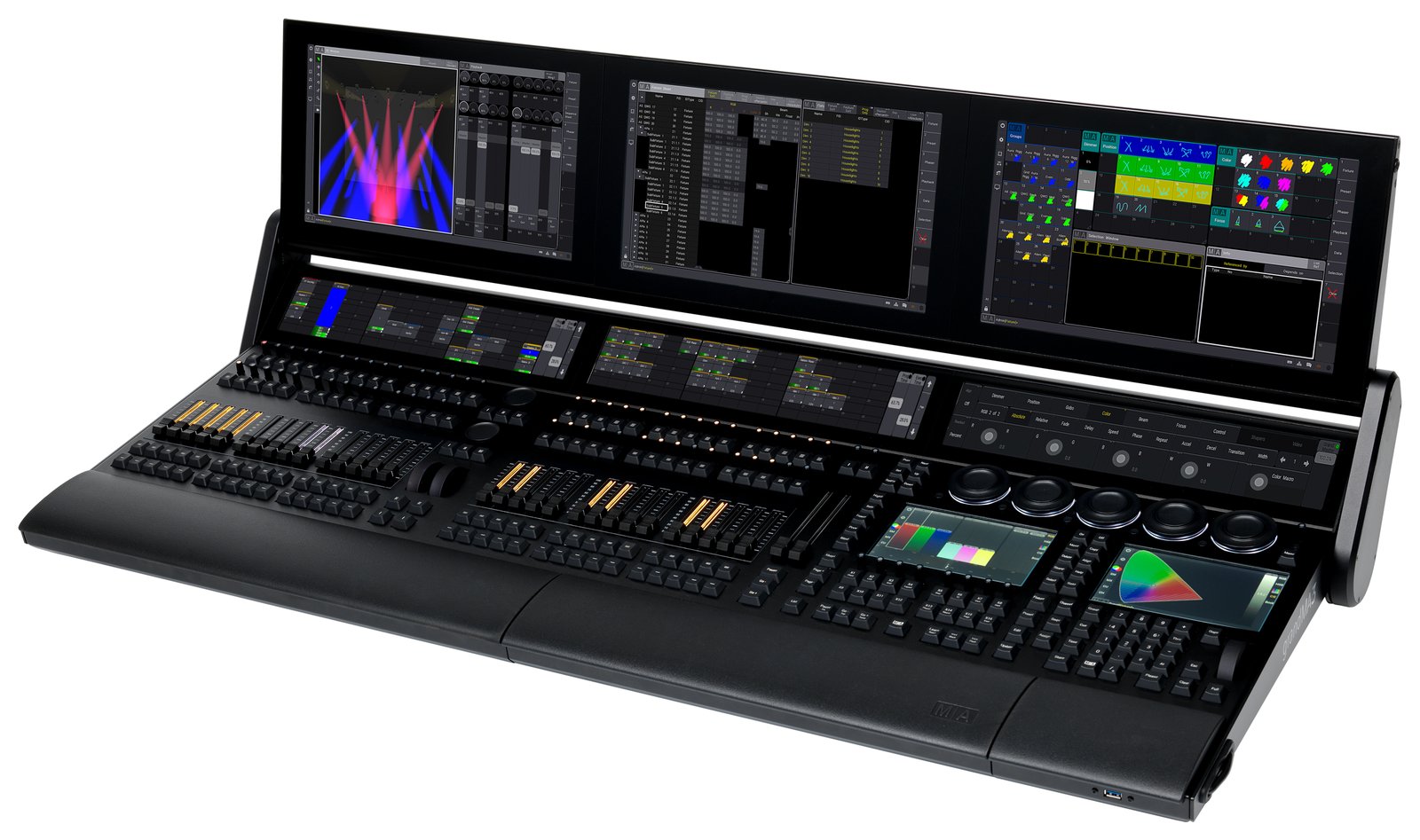
    If there is one lighting console that dominates big tours, festivals and TV, it is the MA Lighting grandMA3. It is the rider standard at the very top of the industry β€” but also one of the deepest and most demanding desks to learn. What follows is an honest round-up of what lighting operators actually report, framed as a synthesis of community opinion rather than a hands-on test.

    Where these takes come from

    A synthesis of recurring opinions across English-speaking communities (r/lightingdesign, ControlBooth, the Blue Room) and working operators. See also our grandMA console guide. The framing stays honest throughout: this reflects what operators consistently say, not first-hand bench testing.

    What operators love

    It’s the industry standard

    The number-one point in every discussion: grandMA is everywhere on big shows. Learn it and you can walk onto major tours, festivals and broadcast gigs, because the desk waiting for you is almost always an MA. Operators frame that ubiquity as a career advantage in itself β€” the skill travels with you to the highest-profile work in the industry, which is why so many aspiring ops target it first.

    Immense power and scalability

    From a single onPC setup on a laptop to vast networked rigs running over MA-Net, grandMA3 scales to the largest productions in the world. Operators rave in particular about the deep effects and “phaser” engine, which gives programmers enormous creative reach. Whatever the size of the show, the platform has the headroom β€” and that ceiling is a big part of why it sits at the top.

    grandMA3 onPC is free to learn

    You can download onPC and learn the software for free, with DMX output requiring nodes or a dongle. For students and aspiring operators, the community consistently calls this a huge deal: the exact environment used on the biggest shows is available to anyone willing to put in the hours at home.

    Build and ecosystem

    Rugged hardware, broad fixture support and an enormous global user base and training scene round out the appeal. Operators point to the depth of the ecosystem β€” the people, the training, the rental inventory β€” as being as much a part of the product as the desk itself.

    What operators flag

    1. A steep learning curve

    The most repeated caveat: grandMA3 is deep and not intuitive at first. Operators are candid that you should expect serious time β€” and ideally formal training β€” before you are fast on it. The power is real, but so is the ramp to reach it.

    2. Flagship cost

    Full-size hardware is a major investment. This is top-tier money, and operators do not sugar-coat it: the desk sits at the premium end of the market, matching its position at the premium end of the industry.

    3. The grandMA3 vs grandMA2 transition

    A long-running community topic: early grandMA3 software lagged grandMA2 on features and stability, and many operators ran “MA2 mode” for years as a result. The platform has matured considerably since, but operators agree the transition is part of the story and shaped the desk’s reputation.

    4. DMX output isn’t free with onPC

    The onPC software is free, but real DMX output requires MA nodes or a dongle β€” so budget for that hardware path when you move from learning to actually driving fixtures.

    5. Overkill for small gigs

    For a small club or a single band, grandMA3 is far more console, and far more complexity, than the job needs. Operators regularly steer smaller productions toward simpler desks.

    Who it’s really for

    grandMA3 suits large-scale touring, festivals and broadcast β€” and anyone building a career where it is the expected desk. For theatre and cue work, many operators prefer ETC Eos; for value and busking, ChamSys. See our ETC guide and pro DMX controller guide.

    My honest take

    The editorial synthesis is that grandMA3 earns its crown for big shows and career ubiquity β€” immense power, and free onPC to learn on. Just go in expecting a real learning curve and flagship cost, and know that the MA2-to-MA3 transition shaped its reputation before the software matured. For the top tier of the industry, the community consensus is clear: it is the safe choice.

    FAQ

    Is grandMA3 hard to learn?

    Yes β€” it is deep and not beginner-friendly. Plan for significant time and ideally formal training, helped by the free onPC software you can practice on at home.

    Is grandMA3 onPC free?

    The software is free to learn on; DMX output requires MA nodes or a dongle, so factor that hardware into your budget.

    grandMA3 or ETC Eos?

    grandMA for big-show, touring and busking ubiquity; ETC Eos for theatre and cue-based work. It is the classic divide, and the honest answer depends on the kind of shows you do.

    Is it overkill for small venues?

    Often yes β€” for small clubs and bands, a ChamSys or a compact desk is more practical and affordable than a full grandMA3.

    Image: grandMA at front of house by Hullian111, CC BY-SA 4.0, via Wikimedia Commons.