💡 Expert tests, comparisons & guides • DMX · Art-Net · RDM • From club to theatre

Category: Reviews

  • Obsidian Onyx vs ChamSys MagicQ: The Free-Software Battle

    Obsidian Onyx vs ChamSys MagicQ: The Free-Software Battle

    If you want serious lighting control without a flagship budget, two names dominate the value conversation: ChamSys MagicQ and Obsidian Onyx. Both offer powerful, genuinely free software plus affordable hardware. So which should you learn? Here’s an honest head-to-head of what operators report.

    Where this comparison comes from

    A synthesis of recurring opinions across English-speaking communities (r/lightingdesign, ControlBooth) and operators who’ve used both. See our ChamSys MagicQ review and Obsidian Onyx review.

    What they share

    Both are the free-software value champions: full-featured software you can download and learn for free, free DMX output up to a number of universes, affordable consoles (ChamSys MQ; Obsidian NX), and capable live/busking workflows. Either one lets you learn lighting control at home for nothing.

    Where ChamSys MagicQ leads

    • Bigger community and more online tutorials/knowledge.
    • Very deep, busking-focused feature set that rivals far pricier desks.
    • A broader hardware range, from compact MQ consoles to Stadium.

    Where Obsidian Onyx leads

    • A workflow many find approachable coming in fresh.
    • Backing from Elation/Obsidian and tidy NX hardware.
    • A clean, modern feel some prefer to MagicQ’s denser UI.

    The honest differences

    The biggest practical gap is community size: ChamSys has the larger user base and knowledge pool, which matters when you’re stuck. Beyond that, it comes down to UI preference, fixture handling and which hardware fits your budget. Since both are free, the best move is simply to try each.

    My honest take

    Both are outstanding value and a brilliant way to learn. ChamSys edges it on community and busking depth; Onyx appeals if you prefer its workflow and hardware. Download both, run a small rig in each, and pick the one that clicks. See our DMX software guide.

    FAQ

    Are ChamSys and Onyx both free?

    Yes — both offer full-featured free software with free DMX output up to a number of universes. Ideal for learning.

    Which has the bigger community?

    ChamSys MagicQ has the larger user base and more online resources, which helps when troubleshooting.

    Onyx or ChamSys for busking live?

    Both are capable; ChamSys has a deep busking feature set, while many find Onyx more approachable. Try both — they’re free.

    Which should a beginner choose?

    Either. Download both, learn a small rig in each, and keep the one whose workflow you prefer.

    Image: ChamSys PC-Wing by Titanic97, CC BY-SA 3.0, via Wikimedia Commons.

  • ETC vs grandMA: Which Lighting Console Is Right for You?

    ETC vs grandMA: Which Lighting Console Is Right for You?

    ETC or grandMA? It’s the great divide in professional lighting control. Both are flagship platforms, both are everywhere — but they’re built around different philosophies and different sectors. Here’s an honest head-to-head of what operators report, to help you pick the right one for your work.

    Where this comparison comes from

    A synthesis of recurring opinions across English-speaking communities (r/lightingdesign, ControlBooth) and operators who use both. See our ETC Eos review and grandMA3 review.

    ETC Eos: the theatre standard

    Eos is built around a command-line, cue-based workflow — ideal for scripted theatre. It dominates theatre and education, especially in the US, so learning it opens theatre careers. Support and training are excellent, and ETC Nomad is free to learn on.

    grandMA: the touring and festival standard

    grandMA is built for busking and large-scale live — concerts, festivals and TV. Its effects engine, networking and rider ubiquity make it the expected desk on big tours, and grandMA3 onPC is free to learn.

    Where each one wins

    Choose ETC Eos if…

    • You work in theatre, opera, education or cue-heavy productions.
    • You want the US theatre standard and its job market.
    • You prefer a command-line, cue-stack workflow.

    Choose grandMA if…

    • You work in concerts, festivals, TV and touring.
    • You busk shows live and lean on a deep effects engine.
    • You want the rider standard on the biggest tours.

    What they share

    Both are deep, pro platforms with free software to learn (Nomad and onPC), strong fixture support and large communities. Many working operators end up learning both, because the sector — not the brand — decides the tool.

    My honest take

    There’s no “better” here: theatre leans ETC, live/touring leans grandMA. Pick by the shows you want to do, learn it deeply (both are free to start), and add the other later if your career crosses sectors. See our pro DMX controller guide.

    FAQ

    ETC or grandMA for theatre?

    ETC Eos — it’s the theatre standard, built for cue-based work, and dominant in US theatre and education.

    ETC or grandMA for concerts and touring?

    grandMA — it’s built for busking and is the rider standard on big tours and festivals.

    Can I learn both for free?

    Yes — ETC Nomad and grandMA3 onPC both let you learn on a computer (DMX output needs gateways/nodes).

    Which has more job opportunities?

    It depends on sector: theatre/education favours ETC; concert/festival/TV favours grandMA.

    Image: ETC Ion XE20 by Masonvanmeurs, CC BY-SA 4.0, via Wikimedia Commons.

  • grandMA2 vs grandMA3: The Honest Transition Guide

    grandMA2 vs grandMA3: The Honest Transition Guide

    For years the lighting world has wrestled with one transition: grandMA2 or grandMA3? The grandMA2 is the beloved, mature workhorse of the 2010s; the grandMA3 is MA Lighting’s powerful new platform — and the future. Here’s an honest head-to-head of what operators report.

    Where this comparison comes from

    A synthesis of recurring opinions across English-speaking communities (r/lightingdesign, ControlBooth, MA forums) and operators who run both. See also our grandMA3 review and grandMA guide.

    grandMA2: the mature workhorse

    The grandMA2 dominated big shows for a decade. Operators praise its stability, familiarity and huge installed base — it’s proven, predictable and known by a generation of programmers. The catch: the hardware is discontinued, so it’s a sunsetting (if still everywhere) platform.

    grandMA3: the powerful future

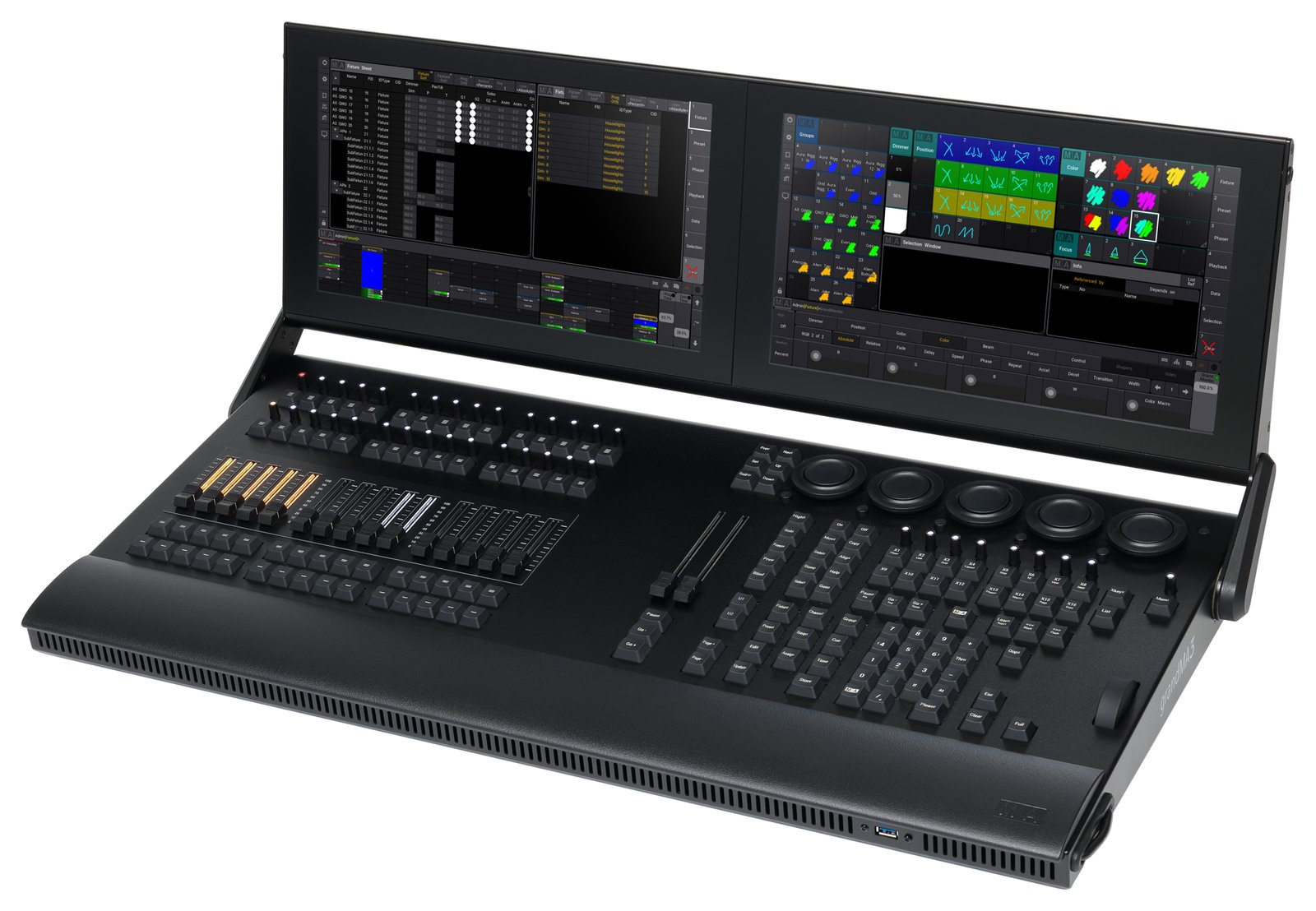
    The grandMA3 brings new hardware (more faders and encoders, better screens) and a more powerful software architecture. The well-known caveat: early grandMA3 software lagged grandMA2 on features and stability, so many operators ran it in “grandMA2 mode” for years. It has matured significantly and native MA3 is now the path forward.

    The transition, honestly

    1. MA2 mode eased the switch

    grandMA3 hardware can run in grandMA2 mode, which let operators adopt the new desks while keeping the familiar workflow — a key reason the transition was gradual.

    2. MA3 native has matured

    The early-days bugs and missing features that fuelled scepticism have largely been addressed; native grandMA3 is now solid and capable.

    3. MA2 is still everywhere

    Despite being discontinued, grandMA2 remains widespread on the installed and rental base, so knowing it still has value.

    Which should you learn or buy?

    The community consensus:

    • New buyers and learners: go grandMA3 (native mode) — it’s the future, and onPC is free to learn.
    • Existing grandMA2 operators: transition to grandMA3 native at your pace; MA2 knowledge still pays off near-term.

    My honest take

    grandMA3 is the future and is now mature — learn it natively for career longevity. grandMA2 remains a reliable, ubiquitous workhorse on the existing base, so it’s far from dead. If you’re starting fresh, commit to MA3 native; the MA2-mode crutch is no longer necessary. See our pro DMX controller guide.

    FAQ

    grandMA2 or grandMA3 for a new buyer?

    grandMA3 — it’s the future, the software has matured, and onPC is free to learn. MA2 hardware is discontinued.

    Is grandMA3 better than grandMA2 now?

    After years of maturing, native grandMA3 is powerful and solid. Early on it lagged MA2, which is why “MA2 mode” was widely used.

    Is grandMA2 obsolete?

    No — it’s discontinued but still widespread and reliable on the installed/rental base, so the skills remain valuable.

    What is grandMA2 mode?

    A mode on grandMA3 hardware that runs the grandMA2 software workflow, which eased the transition for existing operators.

    Image: grandMA at front of house by Hullian111, CC BY-SA 4.0, via Wikimedia Commons.

  • Chauvet DJ Obey Review: The Honest Budget Starter

    Chauvet DJ Obey Review: The Honest Budget Starter

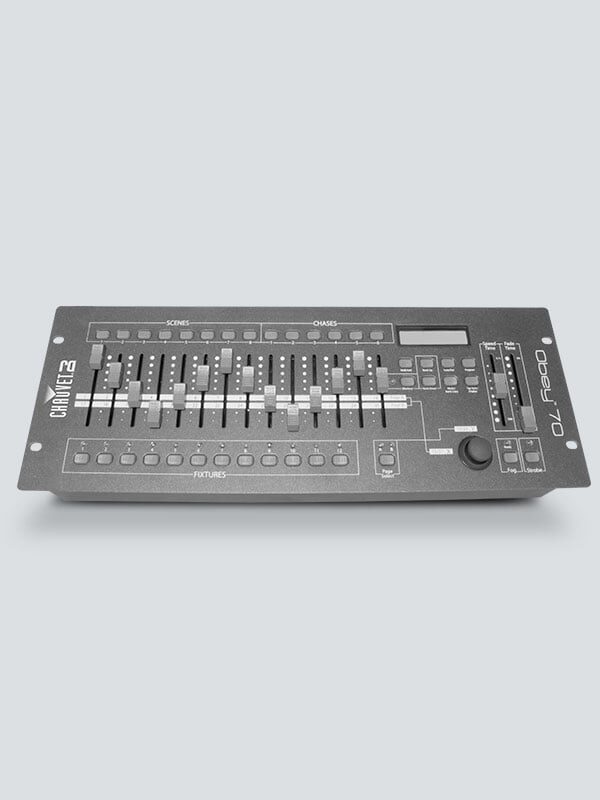
    The Chauvet DJ Obey series is where a lot of people take their first step into “real” DMX control. It is cheap, it is everywhere, and it does exactly one job well — but it also has a hard ceiling that owners run into sooner than they expect. Here is an honest owner-level look at what the Obey range delivers and where it frustrates, drawn from community opinion rather than a hands-on test.

    Where these takes come from

    A synthesis of recurring owner opinions across English-speaking communities (r/lightingdesign, ControlBooth, mobile-DJ forums). See also our budget DMX controller guide and what is a DMX controller primer. The framing stays honest throughout: this is what owners report, not first-hand bench testing.

    What owners love

    1. Cheap, simple, plug-and-play

    The biggest draw is obvious: the Obey is inexpensive, needs no computer, and gets simple par-can and wash rigs lit in minutes. For a mobile DJ setting up in a hurry or a small bar with a fixed rig, owners say that is frequently all that is required. There is no software to install, no laptop to babysit — you plug in and go.

    2. Reliable for static looks and chases

    For scenes, manual fader control and basic chases, owners report the Obey is dependable night after night. Within the narrow lane it was designed for, it simply works, and that consistency is a big part of why it is so widely recommended as a first controller.

    3. Hardware faders feel good for the money

    Physical faders and bump buttons beat fiddling with a phone app for live, hands-on control of brightness and color. Owners appreciate the tactile immediacy — being able to grab a fader in the moment rather than tapping a touchscreen is a genuine advantage for live use at this price.

    What owners flag

    1. Painful with moving heads

    The recurring warning: the Obey range is built for simple fixtures, and programming moving heads — pan, tilt, gobos and multiple parameters — is slow and awkward. Owners note that the bigger Obey units only partly help. If moving lights are central to your rig, this is the limitation that will define your experience with the desk.

    2. Limited scenes and programming depth

    Scene and chase storage is basic, and owners say you hit that ceiling quickly as the rig grows. What feels ample for a handful of pars becomes cramped the moment you add fixtures and want more looks to recall.

    3. No real effects engine

    There is no proper effects generator, so any movement has to be built manually — and owners are candid that this gets tedious fast. The kind of automated pan/tilt and color effects that make bigger consoles quick simply are not there.

    4. You’ll outgrow it

    The most common refrain of all: people buy an Obey, love it for six months, then wish they had gone straight to free software such as ChamSys or Onyx the moment they added moving lights. It is less a criticism of the desk than a warning about buying for where your rig is heading, not just where it is today.

    Who it’s for

    The Obey series is genuinely good for mobile DJs and small venues with a few simple fixtures who want no computer and instant control. If you have (or plan to add) moving heads, or you want real effects, look instead at free software plus a USB-DMX interface, or a beginner console like the Zero 88 FLX or Obsidian Onyx.

    My honest take

    The community synthesis is refreshingly consistent: the Chauvet Obey range does exactly what it promises — cheap, simple, no-computer control of simple fixtures. It is a fine first controller, provided you go in knowing you will outgrow it the day moving lights arrive. The editorial advice that comes up again and again is that if that day is coming soon, skip the Obey and start on free software instead, sparing yourself the six-month detour. See our best console for beginners.

    FAQ

    Is the Chauvet Obey good for beginners?

    For simple, static fixtures and no computer, yes — it is cheap and easy. For moving heads or effects, owners generally agree free software is a better start.

    Can the Obey control moving heads?

    It can, but programming them is slow and awkward — the range is really built for simple par-style fixtures, and moving-light work exposes its limits fast.

    Obey or free software?

    If you want no computer and only simple looks, the Obey. The moment moving lights or effects matter, ChamSys or Onyx plus a USB-DMX interface wins by a clear margin.

    Will I outgrow the Obey?

    Most owners do, once the rig grows. Many say they wish they had gone straight to software or a beginner console from the start rather than replacing the Obey later.

    Photo credit: Photo: Chauvet DJ (chauvetdj.com)

  • ETC ColorSource Review: ETC Quality, Simply

    ETC ColorSource Review: ETC Quality, Simply

    The ETC ColorSource console is ETC’s affordable way in — the brand’s quality and support at a price schools and small theatres can actually reach, without the depth (or the cost) of the Eos family. It is a deliberately simpler tool, and understanding that is the key to being happy with it. Here is an honest owner-level look at where it shines and where it stops, drawn from community opinion rather than a hands-on test.

    Where these takes come from

    A synthesis of recurring owner opinions across English-speaking communities (r/lightingdesign, ControlBooth). See also our ETC Eos review and theatre lighting console guide. The framing stays honest throughout: this is what owners report, not a first-hand bench review.

    What owners love

    1. Simple and friendly

    ColorSource is built to be approachable, and owners consistently say so. Fader-per-fixture style control, straightforward color picking and basic cues are the sort of thing newcomers and volunteers grasp quickly. For schools, community theatres and houses of worship — where the operator is often untrained and turnover is high — that gentle learning curve is the single biggest selling point.

    2. ETC build and support

    It carries ETC’s reputation for solid hardware and excellent support and documentation. Owners describe that as a real reassurance for institutions: when something goes wrong, there is a serious company and a well-documented product behind the desk, which is not something every budget console can claim.

    3. Handles color and simple moving lights

    Within its class, ColorSource manages LED color and basic moving-light control well. Owners running modest rigs of LED washes and a few movers report it does what they need without fuss, which is exactly the brief for the venues it targets.

    4. A path toward Eos

    For organizations already in the ETC world, ColorSource fits the ecosystem neatly and eases a later step up to Eos. Owners see it as a sensible on-ramp: you stay within a family you trust, and the eventual move to a deeper desk is less of a leap.

    What owners flag

    1. Not an Eos — different platform

    The single most important thing owners stress: ColorSource is not the command-line, cue-based Eos workflow. It is a separate, simpler console. Programmers who sit down expecting Eos depth will find it limited, and much of the disappointment reported online comes from that mismatched expectation rather than any fault in the desk.

    2. Limited for complex shows

    Big moving-light rigs, deep effects and large cue stacks are beyond its comfort zone — that is squarely Eos territory. Owners who push it toward ambitious productions hit its ceiling, and the community advice is to recognize where that ceiling sits before you buy.

    3. You may outgrow it

    As productions get more ambitious, theatres often move up to an Eos-family desk such as the Element or Ion. Owners frame this less as a flaw and more as a natural graduation — ColorSource does its job, and then a growing program moves on.

    Who it’s for

    ColorSource is ideal for schools, community theatres, houses of worship and small venues that want ETC reliability and simplicity at a low price. If you need cue-based theatre depth, go straight to the Eos family; if you are in live music, look at the ChamSys QuickQ or Obsidian Onyx.

    My honest take

    Reading across owner sentiment, ColorSource does exactly what it sets out to do: ETC quality, simply and affordably. The one piece of advice that matters most is to go in clear that it is not Eos — it is a friendlier, shallower console, and judged on that basis it is excellent. For small institutions it is a smart, dependable pick; for cue-heavy theatre, the honest synthesis is to save up for an Eos desk instead. See our best console under $1,000.

    FAQ

    Is the ETC ColorSource the same as Eos?

    No — ColorSource is a separate, simpler console. It does not use the Eos command-line, cue-based workflow, and expecting it to is the most common source of frustration.

    Is ColorSource good for a school or church?

    Yes — it is a top pick for schools, community theatres and worship venues: ETC reliability and support, easy to learn, and affordable.

    Can ColorSource run moving lights?

    It handles LED color and basic moving lights well for its class, but big moving-light rigs are Eos territory rather than something to ask of this desk.

    ColorSource or Eos?

    ColorSource for simple, affordable control; Eos for cue-based theatre depth and complex shows. Match the desk to the ambition of your productions.

    Photo credit: Photo: ETC (etcconnect.com)

  • ChamSys QuickQ Review: Easy ChamSys, Real Console

    ChamSys QuickQ Review: Easy ChamSys, Real Console

    The ChamSys QuickQ range is the company’s “easy mode” — a friendlier, touchscreen-led way into ChamSys for people who do not need the full depth of MagicQ. Crucially, it is a genuine small console rather than a basic controller, and owners say it punches well above its price. Here is an honest owner-level look, framed as a synthesis of community opinion rather than a hands-on test.

    Where these takes come from

    A synthesis of recurring owner opinions across English-speaking communities (r/lightingdesign, ControlBooth, Blue Room). See also our ChamSys MagicQ review and best console for beginners. Throughout, the framing is honest: this is what owners consistently report, not first-hand bench testing.

    What owners love

    1. Genuinely easy to learn

    This is the whole point of QuickQ, and owners confirm it delivers. A clean, touchscreen-driven workflow lets newcomers pick it up fast, while hardware faders and encoders keep the hands-on feel that live operators want. Owners coming up from basic controllers describe it as a big step up that somehow still feels approachable — capability without intimidation.

    2. Real moving-light control

    Unlike a cheap controller, QuickQ handles moving heads, color and effects properly. It has a real fixture library and a built-in effects engine, so pan/tilt, gobos and multi-parameter fixtures are managed the way a proper console should manage them. For owners whose rigs are growing beyond simple pars, that is the feature that justifies the step up.

    3. ChamSys reliability and support

    QuickQ carries the ChamSys reputation for solid, gig-ready hardware and an active community. Owners point to that heritage as reassurance — you are buying into an established platform with real support behind it, not a throwaway box.

    4. A clear upgrade path

    The skills and concepts you build on QuickQ transfer toward MagicQ if you later want the deeper platform. Owners like that they are not learning a dead-end interface: time invested now pays off if the shows get bigger and MagicQ becomes the goal.

    What owners flag

    1. Less depth than MagicQ

    The trade-off for simplicity is real: QuickQ deliberately hides much of MagicQ’s deep busking power. Heavy programmers will eventually hit its ceiling, and owners with ambitious, complex shows say so plainly. For its target user that ceiling is high enough; for a power user it is a genuine limit.

    2. Fixed window layout

    The streamlined UI that makes QuickQ beginner-friendly is also less flexible than MagicQ’s freeform windows. Owners who like to customize their screen real estate find the fixed layout constraining, even as newcomers appreciate not having to design their own workspace.

    3. You may outgrow it

    For big, complex shows, serious operators often move up to MagicQ. That said, many owners note that QuickQ is all they ever actually need — whether you outgrow it depends entirely on where your work is heading.

    Who it’s for

    QuickQ is ideal for small-to-mid venues, schools, houses of worship and mobile ops who want a real console — moving lights, effects, reliability — without MagicQ’s learning curve. If you want maximum depth or run large festival rigs, look at MagicQ; if theatre cue-stacks are your world, see the Zero 88 FLX.

    My honest take

    Pulling it together, QuickQ is one of the easiest ways to get a real, capable console at an accessible price. You give up some of MagicQ’s deep power in exchange for a much gentler learning curve — a trade most of its target users happily make. The editorial synthesis: it is a standout pick for anyone stepping up from a basic controller who wants moving-light and effects capability without the steep ramp. See our best console under $1,000.

    FAQ

    Is the ChamSys QuickQ good for beginners?

    Yes — it is designed to be easy, with a touchscreen workflow, while still handling moving lights and effects like a real console rather than a basic controller.

    QuickQ or MagicQ?

    QuickQ for easy learning and small-to-mid shows; MagicQ for maximum depth, busking power and large rigs. Skills transfer upward, so QuickQ is a safe place to start.

    Can QuickQ run moving heads?

    Yes — it has a real fixture library and effects engine, so moving heads, gobos and multi-parameter fixtures are handled properly, unlike on basic controllers.

    Who is QuickQ best for?

    Small and mid venues, schools, worship and mobile operators who want a real console without the steep curve of a full professional platform.

    Photo credit: Photo: ChamSys (chamsyslighting.com)

  • Zero 88 FLX Review: Easy, Affordable, Versatile

    Zero 88 FLX Review: Easy, Affordable, Versatile

    The Zero 88 FLX — along with the compact FLX S24 and FLX S48 — has quietly become a fixture in schools, community theatres and small venues, and the reason comes up again and again in operator discussions: it is genuinely easy to learn, easy on the budget, and comfortable handling both cue-based theatre and live busking. That combination is rare at this price point, and it is why the desk keeps getting recommended to first-time buyers. What follows is an honest round-up of what operators actually report, not a hands-on lab test.

    Where these takes come from

    A synthesis of recurring opinions across English-speaking communities (r/lightingdesign, ControlBooth) and FLX operators in education and small venues. The framing throughout is deliberate: this is a distillation of community sentiment and the patterns that show up in threads and support forums, not a claim of first-hand bench testing.

    What operators love

    Genuinely easy to learn

    This is the headline everywhere. The FLX is described as one of the most approachable serious consoles around, with a clean logic that new users grasp quickly. Operators repeatedly point out how well that suits environments where the person at the desk changes constantly — schools where students rotate through, volunteer-run community theatres, and houses of worship where the “LD” is whoever showed up. A console that a nervous first-timer can drive after a short handover has real institutional value, and the FLX earns that reputation.

    Dual workflow: theatre and busking

    The FLX handles cue-based theatre and playback/busking modes, and operators single this out as its defining strength. A multi-use venue that stages a scripted play one week and hosts a live band the next does not want two desks or two skill sets. Being able to run tracking cue stacks for a show and then busk faders and playbacks for an event, on the same familiar surface, is exactly what small mixed-use rooms need.

    Affordable

    Value comes up constantly. The FLX represents strong bang for the buck, and the more compact FLX S range pushes it within reach of genuinely tight budgets — the kind schools and volunteer groups actually work with. For many buyers it is the first “real” console they can justify.

    Good support and ZerOS software

    The FLX runs Zero 88’s ZerOS software and is backed by Zero 88, part of the ETC group. Operators report solid documentation, steady updates and dependable support behind the platform — reassurance that matters most to the institutions that buy it.

    What operators flag

    1. Aimed at small-to-mid shows

    The most consistent caveat: the FLX is not built for the largest productions. Channel count, effects depth and fixture handling are less extensive than on flagship desks. For its target rooms that is a non-issue, but buyers eyeing large moving-light rigs should be clear-eyed about it.

    2. Limited pro touring presence

    You will not see the FLX on big tours the way you see grandMA or Hog. It is, by community consensus, an education and small-venue staple rather than a rider-standard touring desk — worth knowing if career ubiquity is part of your calculation.

    3. Effects engine is modest

    The effects engine is described as fine for most school and community work, but power users running complex moving-light shows will want more. It is a sensible trade for simplicity, not a hidden flaw — just match it to your material.

    Who it’s really for

    The FLX is ideal for schools, community and small theatres, and multi-use small venues that need an affordable, easy console for both cue and live work. It hits a sweet spot that flagship desks overshoot and basic controllers cannot reach. For bigger theatre, see our ETC Eos review and theatre console guide.

    My honest take

    Reading across the community, the Zero 88 FLX lands as an excellent value entry point — easy to learn, affordable, and flexible across theatre and live in a way few desks manage at this price. The editorial synthesis here is simple: buy it for small-to-mid work rather than big-show power, and it is one of the best choices going for education and community venues. Go in expecting a flagship and you will feel the ceiling; go in expecting an approachable, dependable all-rounder and it consistently delivers.

    FAQ

    Is the Zero 88 FLX good for beginners?

    Yes — it is repeatedly described as one of the easiest consoles to learn, which is exactly why schools and community theatres gravitate to it. New operators tend to be productive quickly.

    Can it do both theatre and live shows?

    Yes — it offers cue-based theatre and playback/busking workflows on the same surface, which is what makes it such a good fit for multi-use venues juggling scripted shows and live events.

    FLX or ETC Eos?

    FLX for affordable, easy small-to-mid theatre and education; Eos for the bigger theatre standard, deeper programming and larger productions. Both sit in the ETC group, but they target different scales.

    What’s the difference between FLX and FLX S?

    The FLX S (S24/S48) is the more compact, budget-friendly range; the full FLX is the larger model with more faders and features. Skills carry across the family, so starting on an S is not a dead end.

    Photo credit: Photo: Zero 88 / Vari-Lite (zero88.com)

  • Obsidian Onyx Review: Free Software, Real Value

    Obsidian Onyx Review: Free Software, Real Value

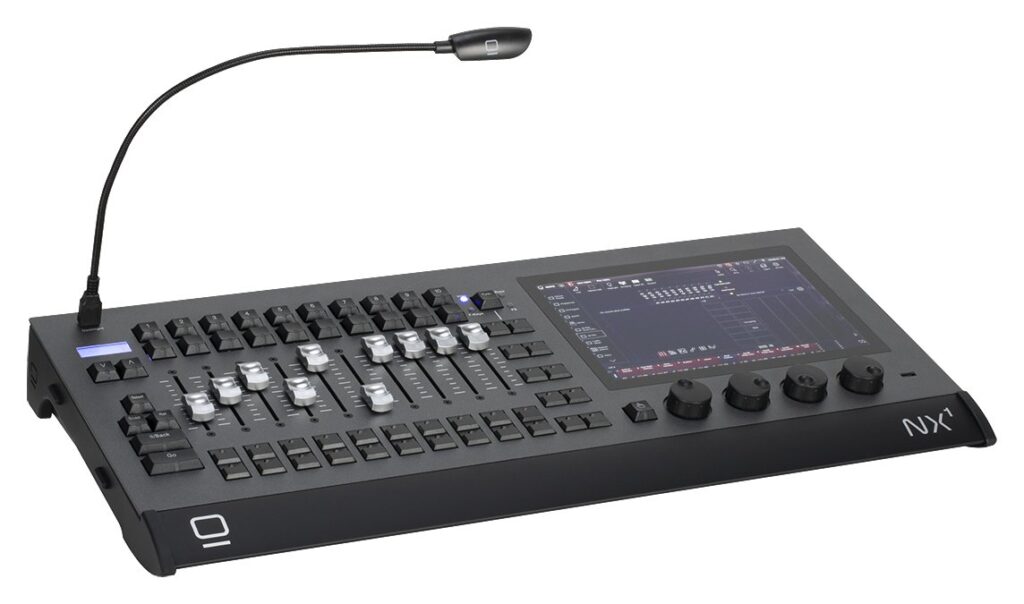
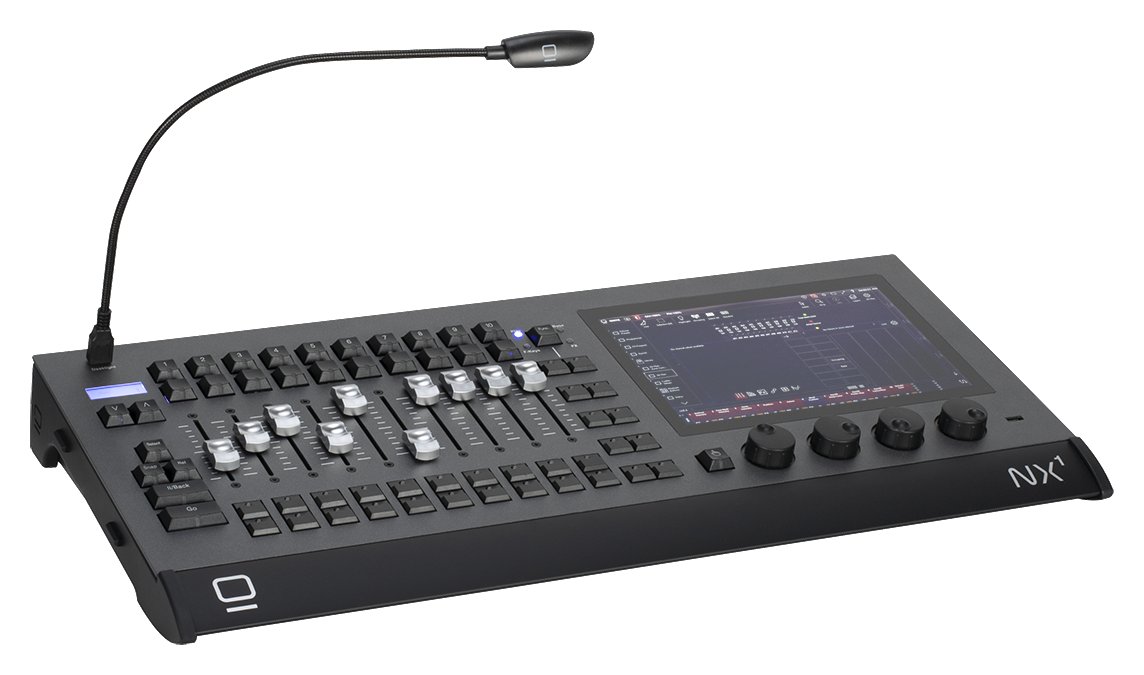
    Obsidian Control Systems’ Onyx platform — the NX-series consoles paired with the free Onyx software descended from Martin’s M-Series and M-PC — is one of the great value stories in lighting control. Free, genuinely capable software plus affordable hardware make it a real alternative to ChamSys for budget and live work, and that pairing is what keeps operators recommending it. Here is an honest round-up of what operators actually report, framed as community synthesis rather than a hands-on test.

    Where these takes come from

    A synthesis of recurring opinions across English-speaking communities (r/lightingdesign, ControlBooth) and Onyx operators. See also our DMX software guide. The consistent framing here is “what operators report,” not a first-hand bench review.

    What operators love

    Free, capable software

    The headline everywhere: Onyx is free and genuinely full-featured, with free DMX output up to a number of universes before you pay for anything. Like ChamSys, that makes it a superb way to learn the platform and run real shows without a software bill. Operators repeatedly frame it as removing the biggest barrier to entry — you can sit down with the whole environment at home and only spend money when you need more output.

    Good for live and busking

    Operators rate Onyx highly for fast, live operation. The workflow is described as approachable and quick to busk once you know it, which is why it shows up on budget and mid-level live gigs where hands-on, on-the-fly control matters more than deep pre-programming.

    Affordable NX hardware

    The NX1 and NX2 consoles and the NX wings bring real console control — physical faders, encoders and a proper surface — at prices operators consider accessible, backed by Elation/Obsidian. For anyone who has learned on the free software, stepping up to matching hardware is a natural, affordable move.

    Solid fixture support

    A good fixture library and regular updates keep the platform current, and operators note that new fixtures are generally well covered. Steady development is part of why the community trusts it for working shows rather than treating it as a hobby tool.

    What operators flag

    1. A smaller community than the big names

    The most common caveat: the user base and the pool of online knowledge are smaller than grandMA, ETC or ChamSys. When you get stuck, there are fewer forum threads and YouTube tutorials to lean on, so you rely more on official resources. It is manageable, but it shapes the learning experience.

    2. Less of a rider standard

    For the biggest shows, grandMA and ETC remain the expected desks. Onyx is far more common on budget and mid-level gigs than on top-tier tours, so if rider ubiquity is part of your career plan, that is a genuine consideration.

    3. Build of the cheapest units

    At the entry level the hardware is described as functional rather than tour-tank rugged. It does the job, but operators temper expectations about the cheapest units surviving years of brutal touring the way flagship metal does.

    4. A learning curve

    Capable software means there is real depth to master. As with any serious platform, expect to put in time before you are fast — the free download lowers the cost of that learning, but it does not remove the effort.

    Onyx vs ChamSys

    This is the comparison operators reach for most, because the two free-software value champions go head-to-head. Both offer powerful, free software and affordable hardware, so the decision rarely comes down to raw capability. Instead it usually turns on UI preference, how each handles fixtures, and which community you click with. The common advice is to try both, since the software is free, and let your own workflow instincts decide. See our ChamSys MagicQ review.

    My honest take

    Pulling the threads together, Onyx reads as a strong free-software value pick — capable, live-friendly and backed by affordable NX hardware. The trade-off, by consensus, is a smaller community and less top-tier ubiquity than the big three. For budget and live work it is well worth a serious look alongside ChamSys, and the fact that the software costs nothing to evaluate makes there little reason not to. See our pro DMX controller guide.

    FAQ

    Is Onyx software really free?

    Yes — Onyx is free and full-featured, with free DMX output up to a number of universes, which makes it a genuine option for learning and for running budget shows without a software cost.

    Onyx or ChamSys MagicQ?

    Both are free-software value leaders, so choose by UI preference, fixture handling and community fit. Because both are free to download, the practical advice is to try each and see which workflow suits you.

    Is the NX hardware good?

    The NX consoles offer solid value and real console control; the caveat operators raise is that the cheapest units are functional rather than heavy-touring rugged.

    Is Onyx widely used?

    It has a growing base, but a smaller community and less rider ubiquity than grandMA, ETC or ChamSys — something to weigh if you want maximum online support or top-tier gig portability.

    Photo credit: Photo: Obsidian Control Systems (obsidiancontrol.com)

  • High End Hog 4 Review: The Touring Operator’s Console

    High End Hog 4 Review: The Touring Operator’s Console

    The High End Systems Hog 4 family — the Hog 4, Road Hog 4 and Hog 4 PC — has a devoted following among concert and touring operators, particularly in the US. Built for fast, hands-on busking, the “Hog way” of working is genuinely loved by those who know it, and its fans tend to stay fans. Here is an honest round-up of what operators actually report, framed as a synthesis of community opinion rather than a hands-on test.

    Where these takes come from

    A synthesis of recurring opinions across English-speaking communities (r/lightingdesign, ControlBooth) and touring operators. See also our Hog console guide. The framing stays honest: this reflects what operators consistently say, not first-hand bench testing.

    What operators love

    A fast busking workflow

    The headline is the Hog workflow itself, praised as quick and intuitive for live concert and touring busking. Operators who learn it tend to become loyal to it, describing a hands-on immediacy that suits the way concerts are actually run — building and changing looks on the fly rather than pre-scripting every moment. That devotion is a recurring theme in any Hog discussion.

    Strong in US concert and touring

    Hog has a long heritage on US tours and concerts, and with it comes a community and rental base that knows the platform well. For operators working American live production, that installed knowledge and gear availability is a practical advantage — you can find desks and people who speak Hog.

    Hog 4 PC is free to learn

    You can download Hog 4 PC and learn the software for free, with DMX output handled via a USB widget or other hardware. Operators highlight this as a low-cost route to practice and pre-programming, letting you build real fluency before you ever touch a full console.

    Capable effects and build

    A solid effects engine and rugged hardware round out the picture. Operators describe the Hog 4 as a dependable live tool that holds up to the demands of touring, with an effects engine well matched to the punchy, dynamic looks that concert work calls for.

    What operators flag

    1. grandMA now dominates big touring

    The most common point by far: while Hog retains a loyal base, grandMA has become the rider standard on the largest tours. That makes Hog less ubiquitous than it once was, and operators weighing career and rider considerations bring this up first.

    2. An aging platform and future questions

    Hog 4 is a mature platform, and with High End now under ETC, some operators watch the long-term direction with a degree of caution. It remains capable and in use, but the roadmap question is a fair one to keep in mind.

    3. A learning curve

    Intuitive once learned, the Hog way still takes time for newcomers. The immediacy that fans love is a reward that comes after the initial investment of getting fluent.

    4. Cost

    Full consoles are a serious investment, as with any pro desk. The free PC software lowers the cost of learning, but a full Hog surface is flagship money.

    Who it’s really for

    The Hog 4 suits concert and touring operators who value a fast busking workflow and are part of (or entering) the Hog world, particularly in the US. For the biggest rider-standard tours, see our grandMA3 review; for value, ChamSys.

    My honest take

    Reading across the community, the Hog 4 is a great busking desk with a devoted following — fast, intuitive for live work, and free to learn on PC. Its main caveat, honestly stated, is that grandMA has overtaken it for big-tour ubiquity, so weigh the career and rider angle before committing. For Hog fans and US concert work, the synthesis is that it remains a strong choice; for someone chasing the widest rider standard, grandMA is the safer bet.

    FAQ

    Is the Hog 4 good for touring?

    Yes — it has a long touring and concert heritage and a fast busking workflow, with a loyal US following that keeps the platform alive on the road.

    Can I learn Hog for free?

    Yes — Hog 4 PC runs the software on a computer at no cost; DMX output needs a USB widget or other hardware.

    Hog 4 or grandMA3?

    Hog for its intuitive busking workflow and loyal base; grandMA3 for the widest rider-standard ubiquity on big tours. Pick by whether you value the Hog way or maximum portability of your skills.

    Is the Hog 4 still current?

    It is a mature platform with a strong following; under ETC ownership, the advice from operators is to keep an eye on the long-term direction.

    Photo credit: Photo: High End Systems / ETC (etcconnect.com)

  • Avolites Review: The Live Operator’s Favourite

    Avolites Review: The Live Operator’s Favourite

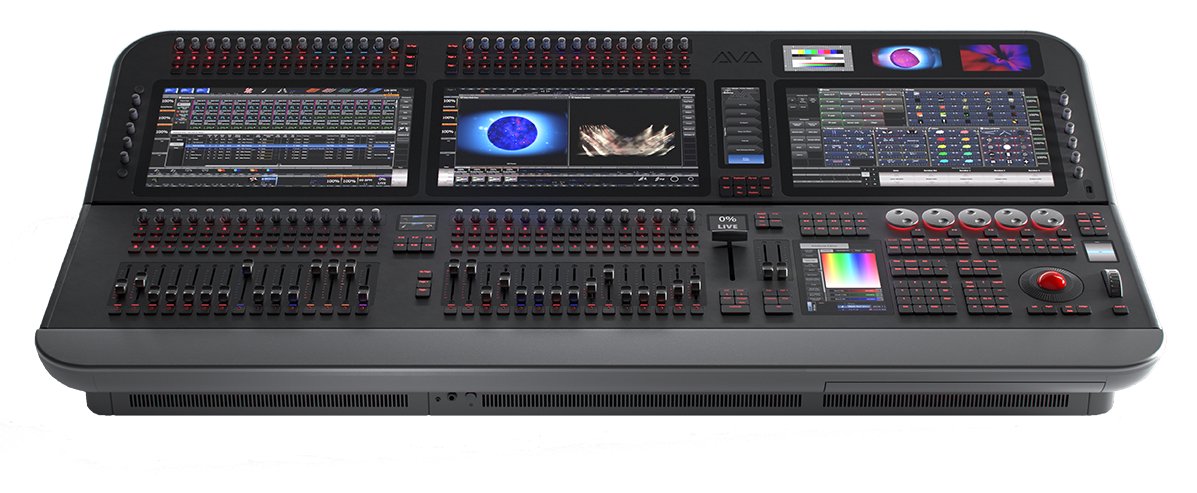
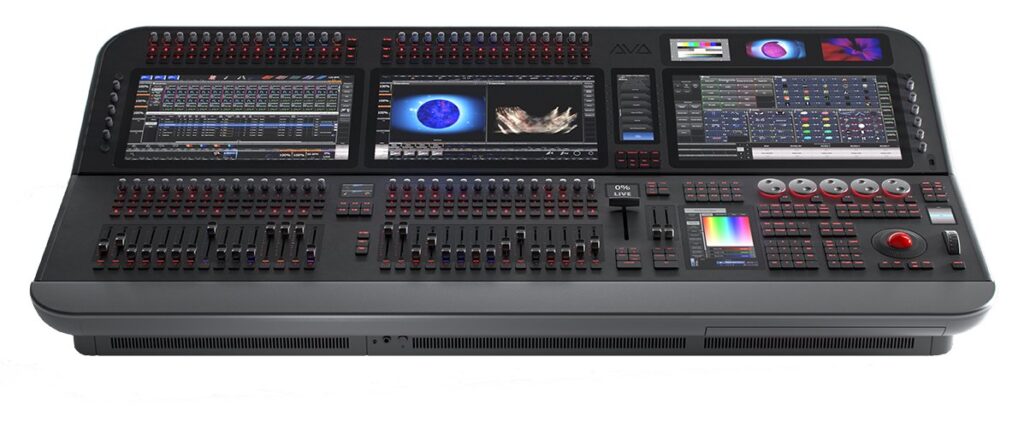
    Avolites consoles — the Tiger Touch II, Quartz, Arena and Diamond — are a touring and events mainstay, especially across the UK and Europe, and they are prized above all for a fast, intuitive live workflow. Running the Titan software, the range is built for concerts, festivals and busking, and the operators who use it tend to be vocal about why. Here is an honest round-up of what operators actually report, presented as a synthesis of community opinion rather than a hands-on test.

    Where these takes come from

    A synthesis of recurring opinions across English-speaking communities (the Blue Room, r/lightingdesign, ControlBooth) and touring operators. See also our pro DMX controller guide. The framing throughout stays honest: these are the patterns that recur among working operators, not first-hand bench findings.

    What operators love

    Fast, intuitive live workflow

    The headline is the “Avo workflow.” Operators love it for quick, on-the-fly busking of concerts and events, and many describe it as the most immediate desk they have used for live, hands-on control. When a show is being built and changed in real time on the fly, that speed is the whole point, and Avolites’ reputation is built on it.

    Built for touring and events

    From the compact Quartz to the Tiger Touch II workhorse and the larger Arena and Diamond, the range is a genuine fixture on UK and EU tours and festivals. Operators point to a deep rental and freelance base across Europe, which means finding a desk and a trained operator on that side of the world is rarely a problem.

    Titan software (and free Titan Go/PC)

    The shared Titan platform runs across the whole range, so skills transfer from the smallest desk to the largest. Operators also value being able to learn and pre-program on free Titan PC/Go, which makes practice and offline show-building accessible without tying up hardware.

    Solid build and effects

    Rugged hardware and a strong effects and chase engine round out the picture. Operators describe the desks as dependable live tools that hold up to the demands of touring, with an effects engine well suited to the fast, punchy looks that concerts and events call for.

    What operators flag

    1. Less common in US theatre

    Avolites is strongest in UK and EU live and events; in US theatre, ETC dominates. Regional ubiquity varies sharply, so where you work changes how useful the platform is for your career.

    2. More live than cue-theatre

    It is brilliant for busking and concerts, but for deeply scripted theatre cue work many operators still prefer ETC Eos. Avolites can do cues, but the community consensus is that its heart is in live operation.

    3. Cost

    The larger consoles are a serious investment, as with any pro desk. The compact end is more attainable, but a full Arena or Diamond is flagship money.

    4. Titan has a learning curve

    Intuitive for live it may be, but Titan still takes time to master at depth. The surface layer is quick to pick up; the deeper features reward real investment.

    Who it’s really for

    Avolites suits concerts, festivals, events and touring — operators who busk live and value a fast workflow, especially in the UK and Europe. For theatre, see our ETC Eos coverage; for the biggest rider-standard tours, grandMA; and the Hog is another touring rival worth weighing.

    My honest take

    Taken together, Avolites reads as a live operator’s favorite — fast, intuitive busking for concerts and events, with free Titan to learn on. It is less of a US-theatre desk, and the big models cost serious money, but for live work, particularly in the UK and EU, it is a top choice. The editorial synthesis is that if your world is concerts and festivals and the Avo workflow clicks with you, few desks feel as immediate.

    FAQ

    Are Avolites consoles good for live shows?

    Yes — the Titan “Avo workflow” is widely loved for fast, on-the-fly busking of concerts and events, and it is where the platform is strongest.

    Can I learn Avolites for free?

    Yes — Titan PC/Go lets you learn and pre-program on a computer, which is a low-cost way to build the skills before you touch hardware.

    Avolites or grandMA?

    Avolites for intuitive live busking at UK/EU events; grandMA for the largest rider-standard tours and festivals. Both are capable live desks, but their strongholds differ.

    Which Avolites console should I choose?

    The Quartz for compact rigs, the Tiger Touch II as the all-round workhorse, and the Arena or Diamond for larger productions. Because they share Titan, you can start small and scale up without relearning the platform.

    Image: Avolites Tiger Touch II by SheffGruff, CC BY-SA 3.0, via Wikimedia Commons.