
As an Amazon Associate I earn from qualifying purchases.
The DMX cable links your console to the fixtures: it carries the lighting commands that set every intensity, colour and movement in the rig. Get it wrong and you get flicker, addresses that drop out and faults that seem to appear from nowhere. Get it right and the data path simply disappears from your list of worries. Here’s how to choose the right cable, why it matters more than most people expect, and how to avoid the faults that ruin a show.
A DMX cable is not a mic cable
This is the single most important point, and the most commonly ignored. DMX512 is a digital protocol. It requires a true DMX cable (120 Ω nominal impedance), not a mic/audio XLR cable: the impedance mismatch causes transmission errors, especially over long runs and with many fixtures. A microphone cable is built for balanced analogue audio at a completely different impedance, and while it may appear to “work” on a short run with two fixtures, it degrades the signal in ways that only show up when the rig grows or the venue warms up. That is exactly the kind of fault that appears on the show and not in the shop. See DMX cables on Amazon.
3-pin or 5-pin?
The official standard is 5-pin, but much gear uses 3-pin. In the 5-pin standard, pins 4 and 5 are reserved for a second data pair that almost nothing uses in practice, which is why manufacturers of moving heads, LED washes and dimmers so often ship 3-pin connectors instead. Check the connectors on your fixtures and console before you buy; 3↔5-pin adapters exist and belong in every kit, so a 5-pin console can still feed a 3-pin fixture and vice versa without a last-minute panic.
Quality, shielding and gauge
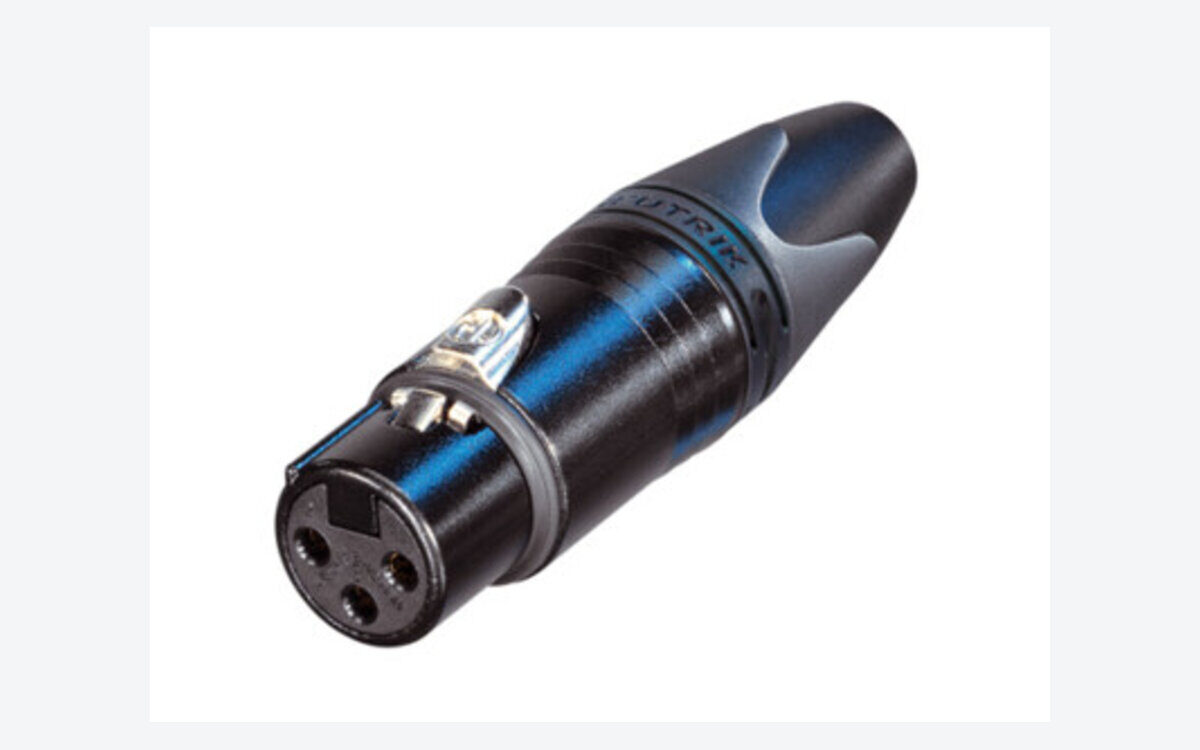
Favour reliable connectors (Neutrik) and good shielding. A properly shielded cable rejects the electrical noise thrown off by dimmers, motors and power runs sharing the same truss — noise is a frequent, invisible cause of “random” DMX faults. Heavier-gauge conductors hold the signal better over distance and survive the repeated coiling and stamping of touring life. Cheap moulded cables with thin conductors and minimal shielding are a false economy the first time a connector pulls out mid-show, and they are almost impossible to repair in the field.
Length and how to run it
Choose lengths as tight as possible and daisy-chain the fixtures rather than running many long parallel lines. DMX is designed as a single chain from the console out to each fixture and on to the next, not as a star of long individual runs. Keep a single physical chain within sensible limits — the standard allows long total runs, but real-world reliability drops as you push distance and fixture count, so split with a powered splitter/booster before you get into trouble rather than after. On a large rig, moving to a network node and outputting DMX close to the fixtures is often more reliable than a very long copper run.
Don’t forget the terminator
At the end of the DMX chain, a terminator (120 Ω plug) prevents signal reflections that cause random glitches — a classic lighting fault. Without one, the signal bounces back down the line and collides with fresh data, producing the intermittent flicker and dropped addresses that are almost impossible to diagnose in the moment. It is the cheapest insurance in the rig, and the first thing to fit when a chain “misbehaves for no reason.” Compare DMX cables on Amazon.
A quick troubleshooting checklist
- Flicker or dropouts? Fit a terminator, then check for a mic cable that has crept into the chain.
- One fixture misbehaving? Swap its cable first — a single bad conductor or connector is the usual culprit.
- Intermittent faults as the show warms up? Suspect a marginal connector or a cable run alongside power.
- Big rig acting up? Split the universe with a powered splitter to isolate and regenerate the branches.
FAQ
Can I use a mic cable for DMX in a pinch?
It may work on a very short, small rig, but it is not reliable: the impedance is wrong, and the risk of flicker and dropouts rises with length and fixture count. Carry proper DMX cable.
Do I always need a terminator?
On any chain of more than a couple of fixtures, yes — it’s the simplest fix for reflection-based glitches and costs almost nothing.
Are more expensive cables really worth it?
The connectors and shielding are what you’re paying for, and both directly affect reliability on the night. A mid-range cable with Neutrik ends and solid shielding is worth far more than the cheapest moulded option.
Photo credit: Neutrik
See DMX cables on Gear4music →
This page contains affiliate links. If you buy through them, we may earn a commission at no extra cost to you.
💡 Essential accessories for your lighting console
This page contains affiliate links. If you buy through them, we may earn a commission at no extra cost to you.
- DMX cable, 5-pin, 5 m : Stairville PDC5CC 5,0 m
- DMX cable, 3-pin, 5 m : Stairville PDC3CC 5,0 m
- DMX terminator, 5-pin : Stairville DMX Terminator XLR 5-Pol
- DMX terminator, 3-pin : Stairville DMX Terminator XLR 3-Pol
- DMX splitter, 2 outputs (3/5-pin) : Enttec D-Split (XLR 3 et 5 broches)