
DMX is a brilliantly simple protocol — until a fixture flickers, a whole branch goes dark, or a moving head does the “DMX shimmy” for no obvious reason. The good news: the same handful of faults cause most problems. Here’s an honest field guide to what goes wrong and how operators fix it.
Where these takes come from
A synthesis of recurring troubleshooting advice across English-speaking communities (r/lightingdesign, ControlBooth) and working operators. See also our what is a DMX controller primer.
1. No DMX terminator (the classic)
The single most common cause of flicker and erratic moving lights: no terminator on the last fixture. A 120-ohm terminator plug stops signal reflections on the line. Symptoms — random flicker, jittery movement, intermittent fixtures — often vanish the moment you terminate. Always carry spare terminators.
2. Wrong DMX address or overlapping fixtures
If two fixtures share addresses they’ll mirror each other; if an address is wrong a fixture ignores you or responds oddly. Double-check every fixture’s start address and channel footprint (its mode/profile decides how many channels it eats). Address conflicts are a top cause of “why is that light doing its own thing?”
3. The wrong cable
Using microphone (audio) XLR cable instead of proper DMX cable works… until it doesn’t. Audio cable has the wrong impedance and causes intermittent, hard-to-trace faults on longer runs. Use real DMX cable, especially for anything beyond a few metres.
4. Too many fixtures / too long a run
DMX is limited to 32 devices per line and roughly 300 m total before signal degrades. Past that, add a DMX splitter/booster (opto-isolated) to start fresh branches. Splitters also protect your console from a faulty fixture feeding voltage back up the line.
5. A single bad fixture or cable poisoning the chain
One faulty fixture or a damaged cable can corrupt everything downstream. Bisect the line: unplug halfway, see which half recovers, and keep halving until you find the culprit. Carry known-good spare cables for swap-testing.
6. Universe / patch mismatches
On bigger rigs, check the fixture is on the universe your console is actually outputting, that the output node/gateway is mapped correctly, and that Art-Net/sACN settings (universe numbers, unicast/multicast) match end to end. See our DMX system guide.
My honest take
When DMX misbehaves, work the basics in order: terminator → addresses → cable type → line length/splitter → bisect for a bad device → universe/patch. Nine times out of ten it’s a missing terminator, an address clash or the wrong cable. Carry spare DMX cable and terminators to every gig and you’ll fix most problems in minutes. See our beginner guide.
FAQ
Why do my DMX fixtures flicker?
Most often a missing 120-ohm terminator on the last fixture, the wrong cable (audio instead of DMX), or a too-long/overloaded line. Terminate first.
Do I really need a DMX terminator?
Yes — on longer or larger rigs it prevents signal reflections that cause flicker and jitter. It’s the first thing to check.
Can I use a microphone XLR cable for DMX?
It may work short-term but has the wrong impedance and causes intermittent faults. Use proper DMX cable, especially over distance.
How many fixtures can one DMX line handle?
Up to 32 devices and around 300 m before you need an opto-isolated splitter/booster to start a fresh branch.
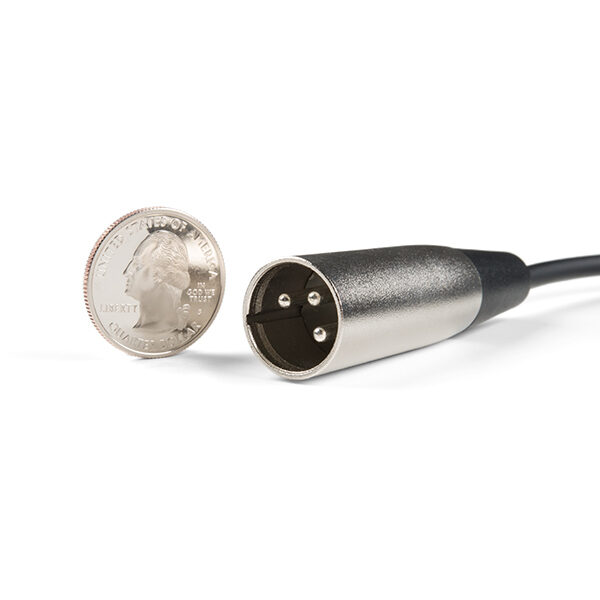
Photo credit: Photo: SparkFun Electronics, CC BY 2.0, via Wikimedia Commons
Read also: Which DMX cables should you choose?
See DMX cables on Gear4music →
This page contains affiliate links. If you buy through them, we may earn a commission at no extra cost to you.
💡 Essential accessories for your lighting console
This page contains affiliate links. If you buy through them, we may earn a commission at no extra cost to you.
- DMX cable, 5-pin, 5 m : Stairville PDC5CC 5,0 m
- DMX cable, 3-pin, 5 m : Stairville PDC3CC 5,0 m
- DMX terminator, 5-pin : Stairville DMX Terminator XLR 5-Pol
- DMX terminator, 3-pin : Stairville DMX Terminator XLR 3-Pol
- DMX splitter, 2 outputs (3/5-pin) : Enttec D-Split (XLR 3 et 5 broches)