💡 Expert tests, comparisons & guides • DMX · Art-Net · RDM • From club to theatre

Author: Patrice.C

  • grandMA3 Review: The Industry-Standard Lighting Console

    grandMA3 Review: The Industry-Standard Lighting Console

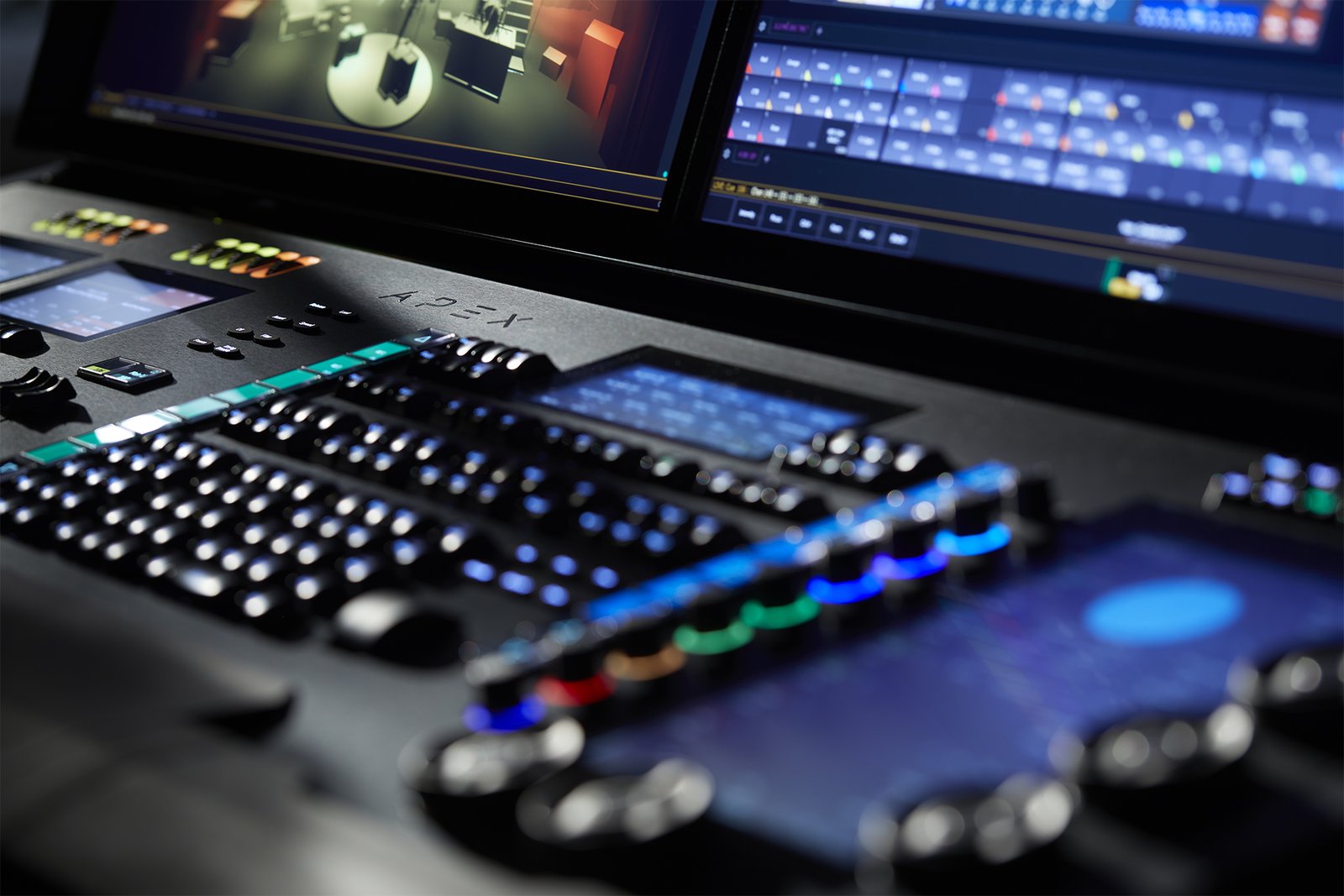
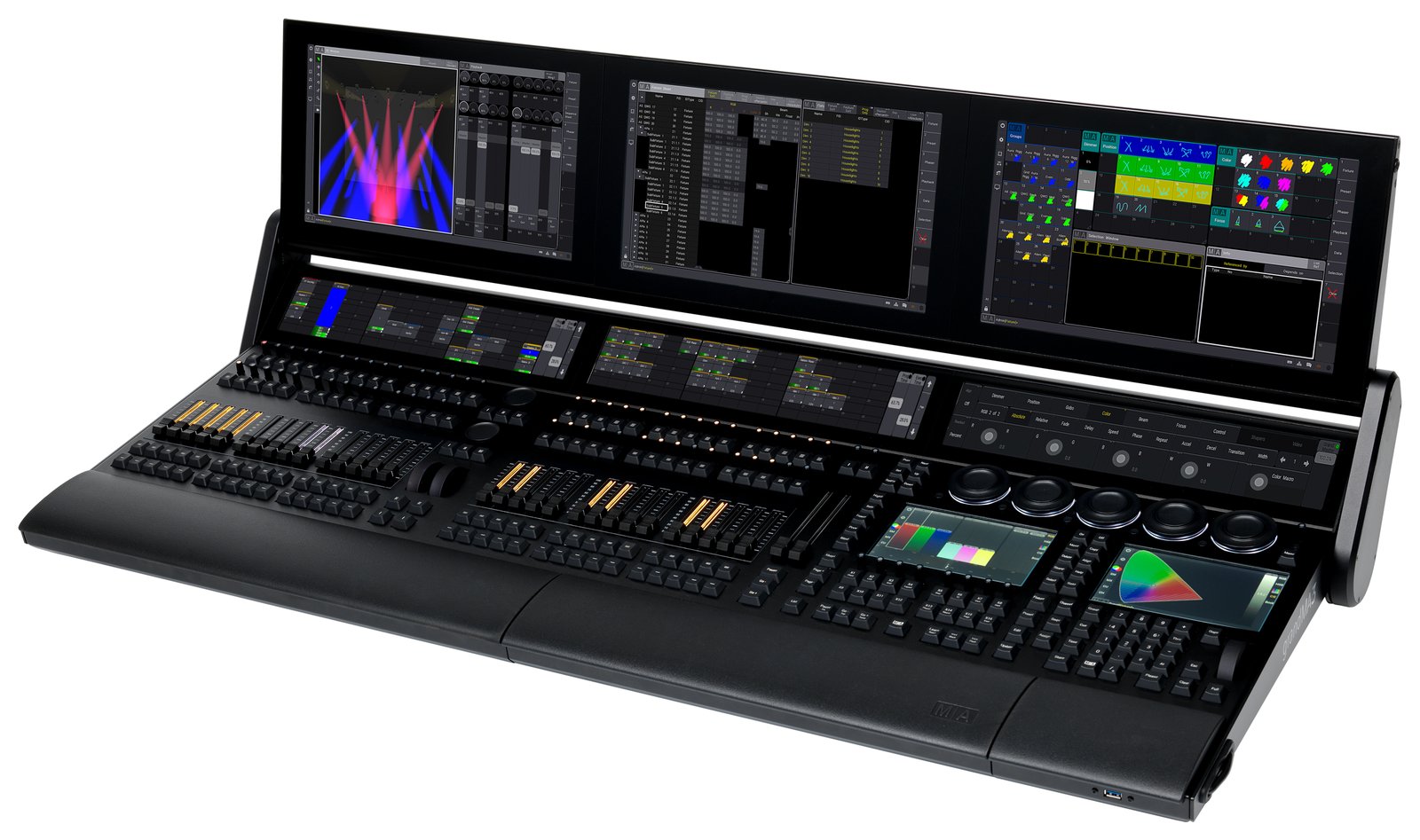
    If there is one lighting console that dominates big tours, festivals and TV, it is the MA Lighting grandMA3. It is the rider standard at the very top of the industry — but also one of the deepest and most demanding desks to learn. What follows is an honest round-up of what lighting operators actually report, framed as a synthesis of community opinion rather than a hands-on test.

    Where these takes come from

    A synthesis of recurring opinions across English-speaking communities (r/lightingdesign, ControlBooth, the Blue Room) and working operators. See also our grandMA console guide. The framing stays honest throughout: this reflects what operators consistently say, not first-hand bench testing.

    What operators love

    It’s the industry standard

    The number-one point in every discussion: grandMA is everywhere on big shows. Learn it and you can walk onto major tours, festivals and broadcast gigs, because the desk waiting for you is almost always an MA. Operators frame that ubiquity as a career advantage in itself — the skill travels with you to the highest-profile work in the industry, which is why so many aspiring ops target it first.

    Immense power and scalability

    From a single onPC setup on a laptop to vast networked rigs running over MA-Net, grandMA3 scales to the largest productions in the world. Operators rave in particular about the deep effects and “phaser” engine, which gives programmers enormous creative reach. Whatever the size of the show, the platform has the headroom — and that ceiling is a big part of why it sits at the top.

    grandMA3 onPC is free to learn

    You can download onPC and learn the software for free, with DMX output requiring nodes or a dongle. For students and aspiring operators, the community consistently calls this a huge deal: the exact environment used on the biggest shows is available to anyone willing to put in the hours at home.

    Build and ecosystem

    Rugged hardware, broad fixture support and an enormous global user base and training scene round out the appeal. Operators point to the depth of the ecosystem — the people, the training, the rental inventory — as being as much a part of the product as the desk itself.

    What operators flag

    1. A steep learning curve

    The most repeated caveat: grandMA3 is deep and not intuitive at first. Operators are candid that you should expect serious time — and ideally formal training — before you are fast on it. The power is real, but so is the ramp to reach it.

    2. Flagship cost

    Full-size hardware is a major investment. This is top-tier money, and operators do not sugar-coat it: the desk sits at the premium end of the market, matching its position at the premium end of the industry.

    3. The grandMA3 vs grandMA2 transition

    A long-running community topic: early grandMA3 software lagged grandMA2 on features and stability, and many operators ran “MA2 mode” for years as a result. The platform has matured considerably since, but operators agree the transition is part of the story and shaped the desk’s reputation.

    4. DMX output isn’t free with onPC

    The onPC software is free, but real DMX output requires MA nodes or a dongle — so budget for that hardware path when you move from learning to actually driving fixtures.

    5. Overkill for small gigs

    For a small club or a single band, grandMA3 is far more console, and far more complexity, than the job needs. Operators regularly steer smaller productions toward simpler desks.

    Who it’s really for

    grandMA3 suits large-scale touring, festivals and broadcast — and anyone building a career where it is the expected desk. For theatre and cue work, many operators prefer ETC Eos; for value and busking, ChamSys. See our ETC guide and pro DMX controller guide.

    My honest take

    The editorial synthesis is that grandMA3 earns its crown for big shows and career ubiquity — immense power, and free onPC to learn on. Just go in expecting a real learning curve and flagship cost, and know that the MA2-to-MA3 transition shaped its reputation before the software matured. For the top tier of the industry, the community consensus is clear: it is the safe choice.

    Le Faisceau Rating — grandMA3 range

    Rated with our Le Faisceau rating method (capacity 25% · programming and workflow 30% · ecosystem and networking 15% · value for money 20% · reliability and support 10%). Specs and prices sourced from manufacturer sites and specialist dealers.

    Console Capacity Workflow Ecosyst. Value Reliab. Overall /5
    grandMA3 full-size 5.0 4.8 4.9 3.2 4.8 4.5 ★★★★½
    grandMA3 light 🏆 Best choice 4.8 4.8 4.9 3.5 4.8 4.6 ★★★★½
    grandMA3 compact 💰 Best value 4.3 4.6 4.9 4.1 4.7 4.5 ★★★★½

    🏆 Best choice : grandMA3 light — highest overall rating (4.6/5).

    💰 Best value : grandMA3 compact — best value-for-money axis (4.1/5).

    FAQ

    Is grandMA3 hard to learn?

    Yes — it is deep and not beginner-friendly. Plan for significant time and ideally formal training, helped by the free onPC software you can practice on at home.

    Is grandMA3 onPC free?

    The software is free to learn on; DMX output requires MA nodes or a dongle, so factor that hardware into your budget.

    grandMA3 or ETC Eos?

    grandMA for big-show, touring and busking ubiquity; ETC Eos for theatre and cue-based work. It is the classic divide, and the honest answer depends on the kind of shows you do.

    Is it overkill for small venues?

    Often yes — for small clubs and bands, a ChamSys or a compact desk is more practical and affordable than a full grandMA3.

    Image: grandMA at front of house by Hullian111, CC BY-SA 4.0, via Wikimedia Commons.

    Read also: ETC vs High End Hog: Theatre Standard vs Concert Busker · Obsidian Onyx vs ChamSys MagicQ: The Free-Software Battle

  • Essential accessories for your lighting console

    Essential accessories for your lighting console

    As an Amazon Associate I earn from qualifying purchases.

    Beyond the console itself, a handful of accessories make your DMX rig more reliable and save you plenty of grief on the gig. None of them are glamorous, but any working operator will tell you that shows are lost to a bad cable or a missing terminator far more often than to the desk itself. Here are the essentials worth keeping in every road case, roughly in the order they earn their place. For the bigger picture on control gear, see our professional DMX lighting controllers guide.

    1. A DMX terminator

    At the end of the data chain, this plug (a 120 Ω resistor across the signal pair) absorbs the signal and prevents the reflections that cause flicker and erratic behavior. It’s the first thing to try when a rig “glitches for no reason” — intermittent flicker, fixtures twitching, a moving head that occasionally jumps. On short runs indoors you may get away without one, but on long lines or a large rig it’s the difference between a rock-solid link and a night of chasing ghosts. Keep a couple in the case; they’re cheap insurance. See DMX terminators.

    2. A DMX splitter / booster

    To split one universe across several lines, electrically isolate the branches and regenerate the signal over long runs or large rigs. A powered splitter (often called an opto-splitter) does two jobs at once: it buffers the data so a fault on one branch doesn’t take down the others, and it re-clocks a signal that has degraded over distance. That isolation is genuinely protective — a short in one fixture leg stays contained instead of killing the whole chain. Anytime you fan out from the console to multiple parts of the stage, a splitter belongs at the split point. See DMX splitters.

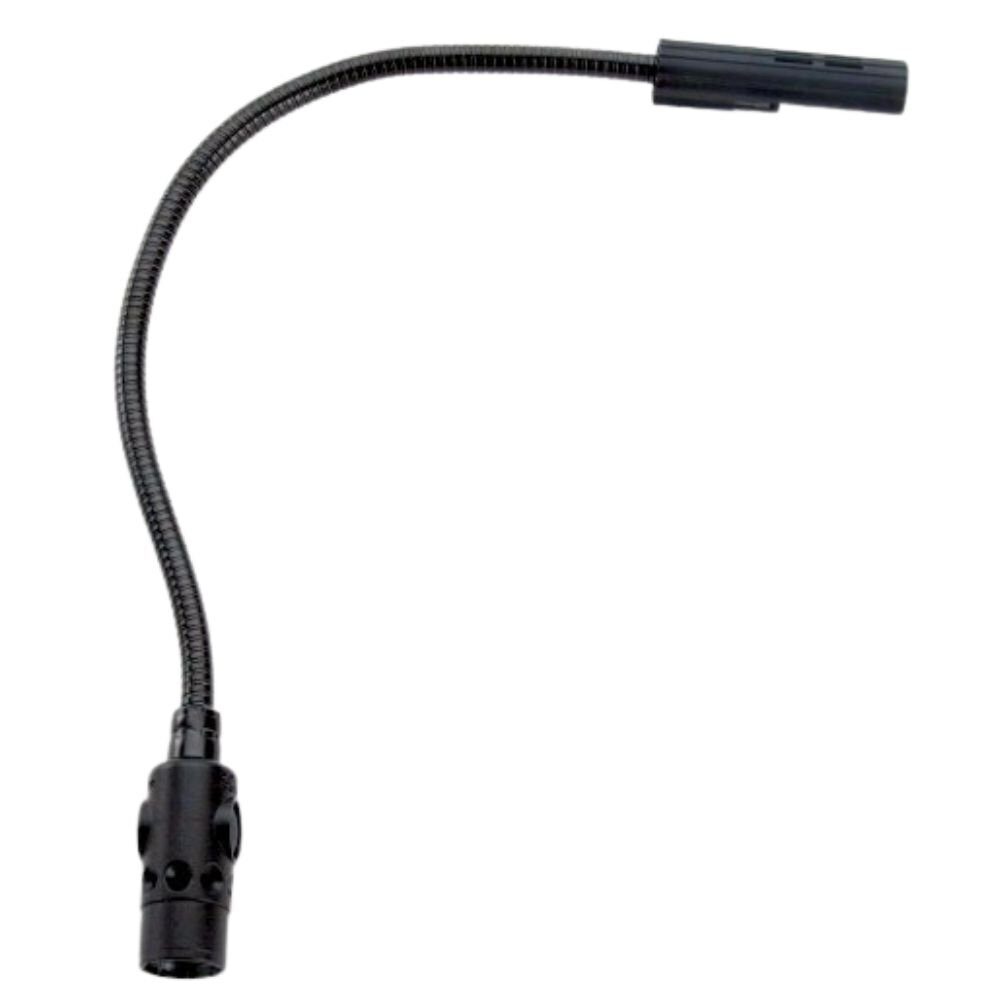
    3. A USB gooseneck lamp

    To read the console and your labels in the dark of the booth, without lighting up the room or spilling onto the stage. A dimmable gooseneck that plugs straight into the desk’s USB port keeps your hands free and your eyes on the faders. Warm, low-level light preserves your night vision far better than a phone screen, and a flexible neck lets you aim it exactly at the surface you’re working without glare bouncing back at you. See USB gooseneck lamps.

    4. A dust cover

    To protect the console from dust between gigs, alongside the flight case. Faders and encoders are exactly where grit does the most damage, and a fitted cover is the cheapest way to keep a desk feeling new for years. Even in a permanent install, a cover slipped over the surface at the end of the night keeps dust, drink spills and curious fingers off the controls. Think of it as the everyday layer of protection that complements — not replaces — a proper case for transport. See dust covers.

    5. Spare DMX cables

    A cable that fails mid-show quickly brings everything to a halt, so always keep a few lengths in reserve. Proper DMX cable is not the same as a microphone lead — it’s built to the correct impedance for data — and mixing the two is a classic cause of intermittent faults. Carry a range of lengths, test them before they go in the case, and label the suspect ones so a marginal cable never sneaks back into a critical run. See DMX cables.

    What next?

    Prioritize by what actually stops shows. Terminator and spare cables come first, because they protect the signal itself; then a splitter for isolation and long runs; then the gooseneck and cover for comfort and protection depending on the size of your rig. Build the kit gradually and you’ll find each piece pays for itself the first time it saves a cue. A little discipline pays dividends here: test every cable and terminator before it goes back in the case, keep the spares clearly separated from the suspect items, and store the whole kit together so nothing is missing when you’re loading in under time pressure. None of this gear is expensive next to the console, yet it’s exactly what keeps a show on its feet when something inevitably fails. When you’re ready to think about the desk at the center of it all, our buyer’s guide covers the full picture.

    Photo credit: LittLite

  • Flight case for a lighting console: how to choose

    Flight case for a lighting console: how to choose

    As an Amazon Associate I earn from qualifying purchases.

    A lighting console is a fragile investment that travels: between gigs, a flight case isn’t a luxury but insurance. Faders, encoders and touchscreens are the first things to fail when a desk is thrown in a van loose, and a replacement fader bank or cracked screen costs far more than the case would have — to say nothing of the show you can’t run while the desk is away for repair. Here’s how to choose well.

    Why a flight case?

    Faders, encoders and screens hate knocks and dust. A rigid flight case protects the console in transport and storage, where a simple cover no longer cuts it once you’re touring. It also protects the show: a desk that arrives with a dead encoder or a shattered screen can stop a get-in cold, and few venues keep a spare. Think of the case as part of the console, not an accessory — the same way you’d never ship a camera body without one. See flight cases on Amazon.

    Custom foam or universal

    • Custom case: foam cut to the console model, perfect fit — ideal if your model is catalogued. The desk sits in a shaped bed that holds it against shock from every direction, and there’s no movement to work connectors or faders loose in transit.
    • Universal pick-and-pluck foam case: pull out the cubes to fit any shape. Versatile and cheaper, and the obvious choice if your console isn’t a common catalogued model or if you move different gear from job to job.

    The details that matter

    For larger consoles, wheels and reinforced handles are a game-changer — a full-size desk in a case is genuinely heavy, and castors save backs and get-in time. Check the butterfly latches, metal corners and, if needed, a front lid that frees access to the faders without unpacking everything. Recessed handles and latches survive stacking better than protruding hardware, and a removable lid over the playback surface lets you patch and pre-programme with the desk still in its case.

    Protect the screen and the connectors

    The two most expensive things to replace on a modern console are the touchscreen and the connector panel. Good foam should support the screen without pressing on it, and the case should leave the rear connectors protected but accessible — a lid that closes onto plugged-in cables is asking for a bent connector. If your desk lives on a wing or has an external monitor, make sure they travel in the same protected package rather than loose in the truck.

    Rack format for small surfaces

    Compact controllers or nodes can live in a small rack or a rigid case in a laptop format. For a control wing, a USB-DMX interface and a laptop, a padded hard case or a shallow rack drawer keeps the whole control package together and protected, so you grab one case and know the entire control chain is inside. Compare flight cases on Amazon.

    Buying checklist

    • Fit — snug enough that the desk can’t shift, with foam supporting the screen and faders.
    • Build — plywood or ABS shell, metal corners, quality butterfly latches.
    • Mobility — castors and solid handles on anything full-size.
    • Access — a front or top lid if you want to work the desk in the case.
    • Weight — a heavier case protects more but costs you at the loading dock; balance the two for how you actually travel.

    FAQ

    Is a soft bag enough?

    For occasional, careful transport of a small controller, maybe. For anything that tours or ships in a van with other gear, a rigid case is the only real protection for faders and screens.

    Custom or universal foam?

    Custom if your model is catalogued and you keep the same desk; universal pick-and-pluck if you move mixed gear or an uncommon console.

    Do castors really matter?

    On a full-size desk, absolutely — a loaded case is heavy, and wheels save both your back and precious minutes at every get-in and load-out.

    Photo credit: Pexels

  • Which DMX cables should you choose?

    Which DMX cables should you choose?

    As an Amazon Associate I earn from qualifying purchases.

    The DMX cable links your console to the fixtures: it carries the lighting commands that set every intensity, colour and movement in the rig. Get it wrong and you get flicker, addresses that drop out and faults that seem to appear from nowhere. Get it right and the data path simply disappears from your list of worries. Here’s how to choose the right cable, why it matters more than most people expect, and how to avoid the faults that ruin a show.

    A DMX cable is not a mic cable

    This is the single most important point, and the most commonly ignored. DMX512 is a digital protocol. It requires a true DMX cable (110 Ω impedance), not a mic/audio XLR cable: the impedance mismatch causes transmission errors, especially over long runs and with many fixtures. A microphone cable is built for balanced analogue audio at a completely different impedance, and while it may appear to “work” on a short run with two fixtures, it degrades the signal in ways that only show up when the rig grows or the venue warms up. That is exactly the kind of fault that appears on the show and not in the shop. See DMX cables on Amazon.

    3-pin or 5-pin?

    The official standard is 5-pin, but much gear uses 3-pin. In the 5-pin standard, pins 4 and 5 are reserved for a second data pair that almost nothing uses in practice, which is why manufacturers of moving heads, LED washes and dimmers so often ship 3-pin connectors instead. Check the connectors on your fixtures and console before you buy; 3↔5-pin adapters exist and belong in every kit, so a 5-pin console can still feed a 3-pin fixture and vice versa without a last-minute panic.

    Quality, shielding and gauge

    Favour reliable connectors (Neutrik) and good shielding. A properly shielded cable rejects the electrical noise thrown off by dimmers, motors and power runs sharing the same truss — noise is a frequent, invisible cause of “random” DMX faults. Heavier-gauge conductors hold the signal better over distance and survive the repeated coiling and stamping of touring life. Cheap moulded cables with thin conductors and minimal shielding are a false economy the first time a connector pulls out mid-show, and they are almost impossible to repair in the field.

    Length and how to run it

    Choose lengths as tight as possible and daisy-chain the fixtures rather than running many long parallel lines. DMX is designed as a single chain from the console out to each fixture and on to the next, not as a star of long individual runs. Keep a single physical chain within sensible limits — the standard allows long total runs, but real-world reliability drops as you push distance and fixture count, so split with a powered splitter/booster before you get into trouble rather than after. On a large rig, moving to a network node and outputting DMX close to the fixtures is often more reliable than a very long copper run.

    Don’t forget the terminator

    At the end of the DMX chain, a terminator (120 Ω plug) prevents signal reflections that cause random glitches — a classic lighting fault. Without one, the signal bounces back down the line and collides with fresh data, producing the intermittent flicker and dropped addresses that are almost impossible to diagnose in the moment. It is the cheapest insurance in the rig, and the first thing to fit when a chain “misbehaves for no reason.” Compare DMX cables on Amazon.

    A quick troubleshooting checklist

    • Flicker or dropouts? Fit a terminator, then check for a mic cable that has crept into the chain.
    • One fixture misbehaving? Swap its cable first — a single bad conductor or connector is the usual culprit.
    • Intermittent faults as the show warms up? Suspect a marginal connector or a cable run alongside power.
    • Big rig acting up? Split the universe with a powered splitter to isolate and regenerate the branches.

    FAQ

    Can I use a mic cable for DMX in a pinch?

    It may work on a very short, small rig, but it is not reliable: the impedance is wrong, and the risk of flicker and dropouts rises with length and fixture count. Carry proper DMX cable.

    Do I always need a terminator?

    On any chain of more than a couple of fixtures, yes — it’s the simplest fix for reflection-based glitches and costs almost nothing.

    Are more expensive cables really worth it?

    The connectors and shielding are what you’re paying for, and both directly affect reliability on the night. A mid-range cable with Neutrik ends and solid shielding is worth far more than the cheapest moulded option.

    Photo credit: Neutrik

  • DMX Lighting Control Systems: A Professional Guide

    DMX Lighting Control Systems: A Professional Guide

    A DMX lighting control system is the whole chain that runs a stage or venue’s lighting: the console or controller, the network that carries the signal, the nodes that output DMX, and the fixtures themselves. Understanding it as a system — rather than fixating on the desk alone — is what separates a rig that behaves from one that fights you. This guide explains the parts, how they fit together, and clears up a common confusion about the name. For the control surface itself, see our guide to professional DMX lighting controllers.

    Important: not building automation

    “Lighting control system” on its own usually means building automation — the smart-home and architectural dimming world of Lutron and Crestron, where the goal is to schedule and scene-set the lights in a home, office or hotel. A DMX lighting control system is a different discipline entirely: it’s the entertainment-lighting world of stages, venues and shows, where the priority is live, cue-accurate control of intensity, color and movement. The two share the word “lighting” and little else, so if you’re researching gear it pays to be clear which universe you’re in before you compare products or read reviews.

    The parts of a DMX system

    • Console / controller — programs and plays back the show; this is the brain and the operator’s interface.
    • Network — Art-Net / sACN carry many universes over standard Ethernet, so a single cable can transport what used to need dozens of separate DMX lines.
    • Nodes — convert the network back to physical DMX near the fixtures, placing the output right where the lights hang.
    • Fixtures — dimmers, LED washes, moving lights and everything else that turns instructions into photons.

    The logic flows in one direction: the console builds and triggers looks, the network distributes them across the venue, the nodes hand off to real DMX cable, and the fixtures respond. Design the system so each stage has headroom — spare universes on the network, spare ports on the nodes — and expansion later becomes a matter of patching rather than rewiring.

    Why the network layer matters

    On a small rig you can run DMX straight from the console to the fixtures and never think about a network. As soon as the rig grows past a universe or two, though, Art-Net and sACN over Ethernet become the sensible backbone: they carry many universes down a single, cheap, easily replaced cable, and they let you place nodes wherever the fixtures are instead of dragging long DMX lines across a building. That architecture is also more resilient — a managed switch and a tidy addressing plan make faults easy to isolate, and adding a new zone is often just another node on the network. The tradeoff is that you now own a small data network, which rewards a little discipline around IP addressing, universe numbering and cable management.

    For installations

    In auditoriums and permanent venues, reliability and operation by non-specialists come first. An ETC system is a common choice, precisely because the whole chain — desk, gateways, dimming and networking — is designed to work together and to keep running with volunteers or house staff at the controls. In a fixed install the emphasis shifts away from raw programming power toward predictability: clear station control, simple presets for everyday events, and a system that a technician can hand over and trust to behave the same way months later.

    FAQ

    What’s a DMX lighting control system?

    The end-to-end entertainment-lighting chain: console plus network plus nodes plus fixtures — not home or building automation. It’s the whole signal path from the operator’s fingertips to the light on stage.

    Is DMX the same as a lighting control system?

    DMX is the protocol — the language the signal is spoken in; the “system” is everything around it that generates, transports and acts on that signal. You can have DMX without a full networked system, but a modern venue system is built on DMX (and its networked cousins Art-Net and sACN).

    Do I always need nodes and a network?

    No. A small rig can run direct DMX from the console. Nodes and an Art-Net/sACN network earn their place once you outgrow one or two universes or need to distribute output across a large space.

    Photo credit: Unsplash

    Read also: Stage lighting control system: how it works and how to design one

  • Theatre Lighting Consoles: A Professional Guide

    Theatre Lighting Consoles: A Professional Guide

    For theatre, one platform dominates: ETC Eos. A theatre lighting console is built around cue-based (tracking) operation — write a show once, play it back identically every night — which is exactly what theater, opera and dance need. Where a live-events desk lives on improvisation, a theatre console lives on precision: every fade, every follow spot pickup, every blackout lands on the same count at every performance, whether the operator is the designer or a stage manager calling a green light to a student on the board. This guide covers what to look for and which consoles fit. For the wider landscape, see our professional buyer’s guide.

    Why ETC Eos owns theatre

    Eos is the theatre standard: cue-based programming, proven reliability in institutional venues, and a coherent ecosystem. From the entry Element 2 to the flagship Apex, it’s a platform you learn once and find everywhere. That ubiquity is not an accident. The command-line syntax that feels foreign on day one becomes the fastest way to build and edit a large cue stack once it clicks, and because tracking carries a value forward until you deliberately change it, a designer can shift a single channel across an entire act without re-recording every cue by hand. Universities, regional houses and road houses standardize on Eos so that visiting designers arrive already fluent and a graduating student walks into the industry knowing the desk. Details in our ETC Eos guide.

    What to look for in a theatre desk

    Cue-based operation is the non-negotiable: a proper cue list, tracking behavior, and the ability to build, renumber and edit cues quickly under pressure. Beyond that, look at how the desk handles complex sequences — multipart cues with independent fade and delay times, follow and hang times, and effects that layer over the base state without disturbing your recorded look. Magic sheets or custom layouts help an operator find channels fast in a dark booth. Fader count matters less in theatre than it does in live work, because most of the show plays back on a single GO button, but you still want enough submasters and playbacks to handle house lights, work lights and the occasional busked moment. Finally, weigh the ecosystem: fixtures, gateways, networking and offline software that all speak the same language reduce the number of surprises on a tight tech schedule.

    Other options

    For houses that also do heavy live or touring work, grandMA is an alternative — though for pure cue-based theatre, Eos remains the reference. A venue that hosts concerts one night and a scripted play the next may value grandMA’s fast, hands-on live workflow, and its operators can adapt it to cue playback. But most designers who work primarily in scripted theatre reach for Eos, because the cue-editing model and the depth of tracking tools are simply built around how a play is rehearsed and run. Choosing the road-less-traveled desk in a theatre also means fewer local operators know it and fewer visiting designers arrive ready to sit down and program.

    For small theatres

    A small theatre rarely needs a flagship desk: an entry Eos (or a capable stage lighting controller) covers most needs while keeping the same workflow you’d grow into. The advantage of starting on the family’s entry model is continuity — a volunteer or student who learns the syntax on a small board can walk up to a much larger one and feel at home, because the software is shared across the range. That protects your training investment and makes it easy to rent a bigger desk for an ambitious production without relearning anything. Start with the console that matches your fixture count today, and lean on the shared platform to grow into larger rooms and shows later.

    Le Faisceau Rating — theatre lighting consoles

    Rated with our Le Faisceau rating method (capacity 25% · programming and workflow 30% · ecosystem and networking 15% · value for money 20% · reliability and support 10%). Specs and prices sourced from manufacturer sites and specialist dealers.

    Console Capacity Workflow Ecosyst. Value Reliab. Overall /5
    Eos Ion Xe 🏆 Best choice 4.3 4.6 4.6 4.3 4.9 4.5 ★★★★½
    Eos Element 2 3.9 4.4 4.5 4.5 4.8 4.4 ★★★★½
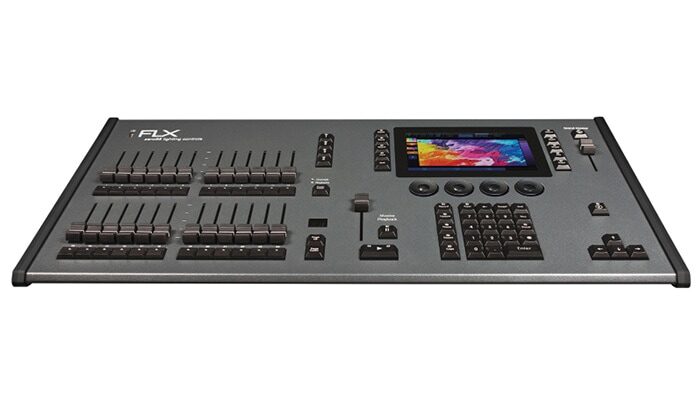
    Zero 88 FLX S48 3.9 4.5 4.3 4.5 4.5 4.3 ★★★★½
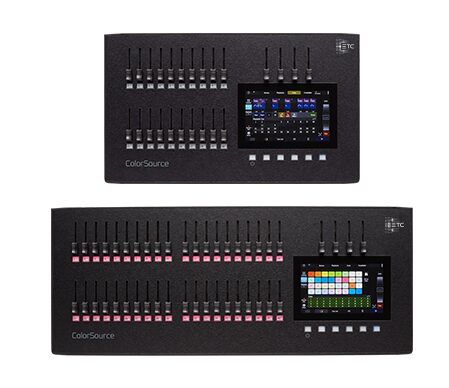
    ETC ColorSource 40 3.5 4.3 4.3 4.5 4.7 4.2 ★★★★☆

    🏆 Best choice : Eos Ion Xe — highest overall rating (4.5/5).

    FAQ

    What lighting console do most theatres use?

    ETC Eos, by a wide margin, especially in the US and in institutional venues. Learn it and you can walk into almost any theatre gig ready to work.

    Theatre or theater — does spelling matter?

    Same thing: “theatre” (UK / international) and “theater” (US) refer to identical consoles. Manufacturers, designers and dealers use both spellings interchangeably, and it has no bearing on the hardware or the workflow.

    Do I need a flagship console for a school or community theatre?

    No — an entry model in the same family gives you the identical cue-based workflow at a fraction of the price, and the skills transfer directly if you later step up to a larger desk for a bigger show.

    Photo credit: Pexels

  • Church Stage Lighting: Consoles, Control and Setup

    Church Stage Lighting: Consoles, Control and Setup

    Stage lighting for churches and houses of worship is one of the biggest — and most underserved — corners of the lighting world. Thousands of congregations light a platform every week, yet most of the advice online is written for touring pros, not for a volunteer team on a real budget. This guide covers how to choose a lighting console (or controller) and build a reliable church stage lighting rig, whether you run a small sanctuary or a multi-campus production. For the wider landscape, see our guide to professional DMX lighting controllers.

    What makes church stage lighting different

    Worship lighting has its own constraints, and they shape every equipment decision. It’s usually run by volunteers who rotate in and out, so the console has to be learnable in an afternoon and forgiving on a Sunday morning. Services repeat week to week, so repeatability matters far more than flashy improvisation — the goal is the same reliable look every service, recalled at the touch of a button. Budgets are real and answer to a board, so value and longevity beat raw specification. And more and more rooms livestream, which adds a camera to the audience and raises the bar on consistent, even light. The right console is one a volunteer can learn quickly and that runs the same cue every Sunday without drama, week after week, regardless of who is at the board.

    Choosing a console for a church

    • ETC — extremely common in worship; cue-based, volunteer-friendly and rock-solid, with the kind of documentation and support a rotating team relies on.
    • grandMA — for larger productions and multi-campus churches that run ambitious, moving-light-heavy services closer to a concert than a service.

    If you mostly need straightforward control of dimmers and LED washes, a simpler stage lighting controller may be enough; step up to a full console as your rig grows. The trap to avoid is buying at either extreme — a box too basic to handle the moving lights you’ll add next year, or a flagship desk so deep that volunteers never feel confident on it. Match the console to the fixtures you actually run and to the people who will operate it, and lean toward a platform whose skills transfer upward so a bigger room later doesn’t mean starting over.

    Building the rig (on any budget)

    A church stage lighting setup pairs the console with LED fixtures, washes and key light for the platform and the stream. You can start small and expand — the console you pick should grow with you. In practice, front key light for faces (especially for the camera) is the foundation, with washes to color the stage and backlight to separate people from the background. Prioritize even, flattering coverage of the people on the platform before you invest in effects, because a clean image of a speaker or worship leader is what the room and the stream notice first. A modest, well-focused rig on a repeatable console beats a pile of fixtures no volunteer can drive, so build in layers and let each addition earn its place.

    Lighting for the livestream

    The camera changes the priorities. Where the human eye is forgiving, a camera exposes uneven coverage, harsh shadows and color casts mercilessly, so consistent front light and controlled color temperature matter more than dramatic looks. A programmable console pays off here in a specific way: it lets you record camera-friendly states as cues and recall them identically every service, so the stream looks the same whether your best volunteer is in the booth or it’s someone’s first Sunday. Getting even key light on faces, keeping the platform brighter than the background, and avoiding wild color shifts mid-service will do more for stream quality than any single fixture purchase.

    Le Faisceau Rating — church stage lighting consoles

    Rated with our Le Faisceau rating method (capacity 25% · programming and workflow 30% · ecosystem and networking 15% · value for money 20% · reliability and support 10%). Specs and prices sourced from manufacturer sites and specialist dealers.

    Console Capacity Workflow Ecosyst. Value Reliab. Overall /5
    ETC ColorSource 40 3.5 4.3 4.3 4.5 4.7 4.2 ★★★★☆
    ChamSys QuickQ 30 3.6 4.4 4.0 4.6 4.3 4.2 ★★★★☆
    Zero 88 FLX S24 3.6 4.4 4.3 4.6 4.5 4.2 ★★★★☆
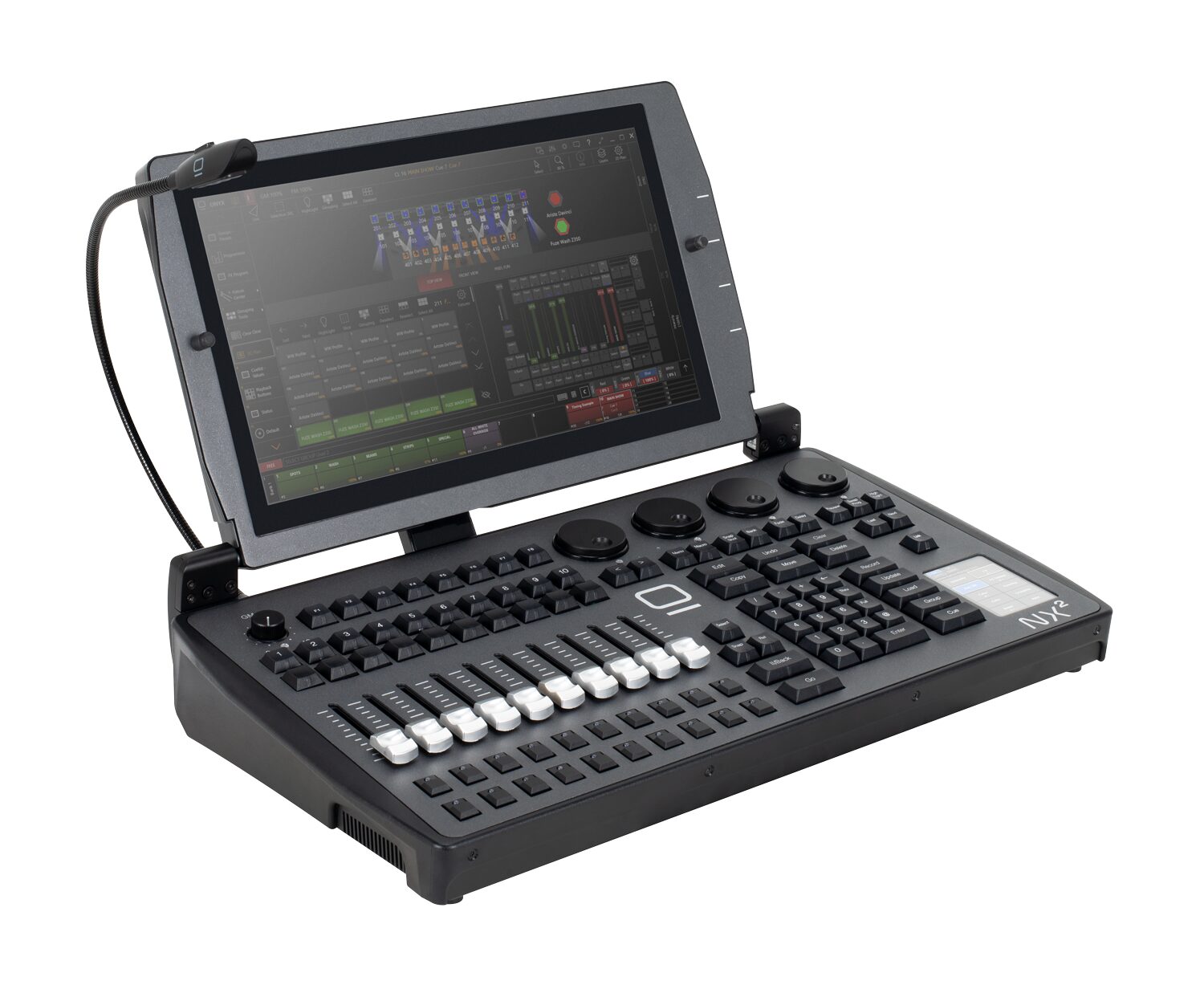
    Obsidian NX1 🏆 Best choice 3.9 4.3 4.3 4.6 4.2 4.3 ★★★★½

    🏆 Best choice : Obsidian NX1 — highest overall rating (4.3/5).

    FAQ

    What’s the best lighting console for a small church?

    One a volunteer can run confidently — favor ease of use and reliability over raw power, and pick a platform with good support and documentation so a rotating team can lean on it.

    Do we need a console if we livestream?

    Consistent, repeatable lighting makes a stream look far better, and a programmable console pays off quickly by recalling the same camera-friendly states every service regardless of who’s operating.

    Should we start small or buy for the future?

    Start with a rig and console sized to what you run today, but choose a platform whose skills and files scale upward — that way expanding the rig or moving to a bigger room later doesn’t mean retraining every volunteer from scratch.

    Photo credit: Pexels

    Read also: Essential accessories for your lighting console · Flight case for a lighting console: how to choose

  • Stage Lighting Controllers: How to Choose

    Stage Lighting Controllers: How to Choose

    A stage lighting controller is what turns a rig of fixtures into a show — from a simple controller for a few washes to a full professional console. The term covers an enormous range of gear, and the right choice depends far more on what you’re lighting than on the label on the box. This guide explains the types and how to choose between them. For the full professional picture, start with our guide to professional DMX lighting controllers.

    From simple controllers to full consoles

    “Stage lighting controller” covers a wide range. At the simple end sit compact controllers that set channels and run basic chases — enough to bring up a few pars and washes and step through some looks. At the professional end are full lighting consoles with deep programming, effects engines and networking across many universes. Between those poles lives a whole middle ground of capable small consoles that handle moving lights and cues without the price or complexity of a flagship. What you actually need depends on how many fixtures you run and, above all, how many of them move — a rig of static dimmers and LED washes asks very little of a controller, while a handful of moving heads changes the equation completely.

    Stage lighting control software

    You can also control a rig from a computer: stage lighting control software drives DMX through a hardware interface, a flexible and affordable route that has become genuinely professional. The leading manufacturers ship a PC version of their console software, so you can learn the real environment on a laptop, program a show offline, and output DMX through a dongle or a network node when it’s time to run it. For anyone starting out or working to a budget, this is often the smartest first step — you invest in skills that transfer directly to hardware later. See our control software guide.

    How to choose

    Small fixed rig of dimmers and LED? A simple controller works, and spending more buys you little. Moving lights, multiple universes, repeatable shows? You want a real console — weigh reliability, the operator ecosystem and total cost as covered in our buyer’s guide. Be honest about where your rig is heading, not just where it is today: the most common regret is buying a basic controller, adding a couple of moving heads a few months later, and discovering that programming them on the cheap box is slow and painful. If moving lights are anywhere on your horizon, start with a controller or software that handles them properly and grow into it.

    Match the controller to the venue

    Beyond fixture count, think about who will run the rig and how often the show changes. A house of worship or a school hall that repeats the same handful of looks week to week values simplicity and repeatable presets over raw programming depth. A mobile operator who faces a different room every night wants fast, hands-on control and quick patching. A permanent theatre install prioritizes reliability and a workflow that a rotating cast of volunteers can learn. There’s no single “best” controller — only the one that fits the fixtures, the operators and the kind of shows you actually do, which is why it pays to define those three things before you shop. Write them down honestly, and the shortlist tends to pick itself: the fixture count sets the floor for capability, the operators set the ceiling for complexity, and the type of show decides whether you prize cue playback or fast live control.

    Le Faisceau Rating — stage lighting controllers

    Rated with our Le Faisceau rating method (capacity 25% · programming and workflow 30% · ecosystem and networking 15% · value for money 20% · reliability and support 10%). Specs and prices sourced from manufacturer sites and specialist dealers.

    Console Capacity Workflow Ecosyst. Value Reliab. Overall /5
    ChamSys QuickQ 30 3.6 4.4 4.0 4.6 4.3 4.2 ★★★★☆
    MagicQ MQ70 💰 Best value 4.2 4.4 4.6 4.7 4.4 4.4 ★★★★½
    Zero 88 FLX S48 3.9 4.5 4.3 4.5 4.5 4.3 ★★★★½
    grandMA3 compact 🏆 Best choice 4.3 4.6 4.9 4.1 4.7 4.5 ★★★★½

    🏆 Best choice : grandMA3 compact — highest overall rating (4.5/5).

    💰 Best value : MagicQ MQ70 — best value-for-money axis (4.7/5).

    FAQ

    Controller or console — what’s the difference?

    Loosely the same idea, but “console” implies a serious programming instrument while “controller” spans everything from entry-level to pro. Intent matters more than the word — read the feature set, not the name on the front panel.

    Is there a controller for stage lights with software?

    Yes — most professional platforms offer a PC version that drives DMX through a hardware interface. It’s a flexible, affordable way to learn a real environment and to keep a backup ready.

    What controller do I need for moving lights?

    Anything with a proper fixture library and an effects engine — a real console or professional software, not a basic scene-and-chase box. Programming pan, tilt, gobos and color by hand on a simple controller is slow and frustrating.

    Photo credit: Unsplash

    Read also: Stage lighting control system: how it works and how to design one

  • DMX Lighting Consoles: How to Choose the Right One

    DMX Lighting Consoles: How to Choose the Right One

    A DMX lighting console is the professional instrument that programs and plays back a lighting show. This guide focuses specifically on choosing a console — for the broader landscape of controllers and software, start with our professional DMX lighting controllers guide.

    Console vs basic controller

    The word “console” implies a serious programming and playback instrument — not the entry-level boxes also sold as “DMX controllers.” A real console gives you deep programming, effects, networking and reliability. The practical dividing line is what happens when your rig gets complicated: a basic controller runs out of road the moment you add moving lights, multiple universes or a show that has to repeat identically, while a console is built precisely for that complexity. If a product leads on its low price, it isn’t really a professional console — see our lighting desks guide for why the trade uses the term the way it does.

    The main console families

    • ETC Eos — the theatre standard, built around cue-based (tracking) programming.
    • grandMA — the touring and large-event standard, the rider default at the top of the industry.
    • ChamSys MagicQ — value and accessibility, with genuinely free software.
    • Avolites — events and touring, on the Titan platform, strong in the UK and Europe.
    • Hog — live events, especially in the US, with a devoted busking following.

    Each family has its own culture and workflow, and most professionals end up fluent in one or two rather than all of them. The choice you make early tends to shape the shows — and the gigs — that are open to you.

    How to choose

    Start from your use case — theatre, touring, events or install — then weigh the criteria that actually decide reliability on the night:

    • Reliability and redundancy — will it run a whole show without faltering, and is there a backup path if hardware fails?
    • Operator ecosystem — can you find someone to programme or operate it, and is it what the rider specifies?
    • Network scale — how many universes over Art-Net and sACN, and does that match your rig’s ambitions?
    • Software / onPC — a PC version to programme offline, train on and keep as a backup.
    • Total cost of ownership — not just the desk, but wings, nodes, training and support.

    Our buyer’s guide covers each criterion in depth.

    Match the console to the work

    For theatre, opera and dance, cue-based repeatability points to ETC Eos. For touring, festivals and broadcast, grandMA’s ubiquity is a career advantage as much as a technical one. For live events and busking on a budget, ChamSys and Obsidian’s free software let you learn and run shows without a flagship price, while Avolites and Hog reward operators who work fast and live. There is rarely a single “best” console — only the one that fits your shows, your budget and the pool of operators around you.

    New, used or software-first?

    You don’t have to buy a flagship desk to work on a professional platform. Running a manufacturer’s software (onPC) through a hardware interface is the most affordable way in, and it’s the same environment as the full console. The used market is strong for standards like grandMA and ETC, where a large installed base keeps earlier-generation desks in service for years. And a laptop running onPC makes a cheap, genuinely useful backup for any rig. Weigh the cost of the surface against how much you’ll actually use it live.

    Le Faisceau Rating — DMX lighting consoles

    Rated with our Le Faisceau rating method (capacity 25% · programming and workflow 30% · ecosystem and networking 15% · value for money 20% · reliability and support 10%). Specs and prices sourced from manufacturer sites and specialist dealers.

    Console Capacity Workflow Ecosyst. Value Reliab. Overall /5
    MagicQ MQ70 💰 Best value 4.2 4.4 4.6 4.7 4.4 4.4 ★★★★½
    Eos Ion Xe 🏆 Best choice 4.3 4.6 4.6 4.3 4.9 4.5 ★★★★½
    Avolites Tiger Touch II 4.2 4.6 4.4 4.3 4.5 4.4 ★★★★½
    Obsidian NX2 4.2 4.4 4.3 4.5 4.3 4.3 ★★★★½

    🏆 Best choice : Eos Ion Xe — highest overall rating (4.5/5).

    💰 Best value : MagicQ MQ70 — best value-for-money axis (4.7/5).

    FAQ

    What’s the difference between a console and a desk?

    None, really — “desk” is the British term for a console. See our lighting desks guide.

    What’s the most affordable console route?

    Running a platform’s software (onPC) with a hardware interface. See our software guide.

    Do I really need a full console for a small rig?

    If you only run a handful of simple fixtures, a compact controller may be enough. The moment you add moving lights, multiple universes or repeatable cued shows, a console earns its place.

    Photo credit: Unsplash

  • Hog Lighting Consoles by High End Systems

    Hog Lighting Consoles by High End Systems

    Born at High End Systems (now owned by ETC), the Hog line is a long-standing live-events platform, especially strong in the United States. Generations of concert and touring operators have built their careers around the “Hog way” of working, and the platform still commands real loyalty among those who know it. This guide covers the Hog 4 family and where it fits today. For the wider landscape, see our professional buyer’s guide.

    The Hog 4 family

    • Hog 4 — the flagship for the largest shows: three monitor outputs, MIDI in/out, eight USB ports and two Fast Ethernet ports, giving an operator plenty of surface and connectivity for a big rig.
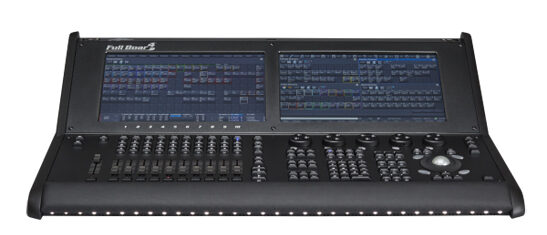
    • Full Boar 4 — two 15.6″ touchscreens and four onboard DMX universes; the Hog 4’s power in a more compact, affordable package that still holds its own on serious shows.
    • Road Hog 4 — a 22″ touchscreen and four onboard universes in a compact touring form, built to travel light without giving up the core workflow.

    All three run Hog 4 OS, so the workflow is identical across the range and a show file moves between them. There’s also a free PC version (Hog 4PC) that runs the same software on a computer for offline programming and practice.

    The Hog workflow

    What earns the Hog its devoted following is the feel of live operation. Operators describe the programming model as fast and intuitive for busking — building and firing looks on the fly during a concert rather than running a fixed cue stack. That hands-on immediacy is a different philosophy from the strict cue-based approach of theatre desks, and it’s exactly what a concert LD wants when the set list shifts and the band goes off-script. Once the Hog way clicks, people tend to stay loyal to it, which is a large part of why the platform has held a place in US touring for so long even as the wider market has moved.

    Value and the used market

    Because the Hog 4 family has been in service for years, a healthy second-hand market has built up around it, and a used Full Boar 4 or Road Hog 4 can be an affordable route into a real touring platform. That maturity cuts both ways: the hardware is proven and well understood, but you’re buying into a platform whose newest rivals have moved on, so factor in how long you plan to keep the desk and whether the shows you chase still call for it. For an operator already fluent in the Hog way, the calculus is easy — the workflow is the value, and staying on a familiar platform is worth a great deal. For someone starting fresh, weigh that comfort against the broader rider ubiquity of grandMA before committing, and remember that free Hog 4PC lets you test the waters at no cost first.

    Where Hog fits

    Hog has a solid following in live events and touring, particularly in the US. Since ETC acquired High End Systems in 2017, the line has continued under that umbrella. In Europe the installed base is smaller than MA, Avolites or ChamSys — worth weighing for operator availability and support, because a platform is only as convenient as the pool of people who can step in and run it. If you already work in the Hog world, or you’re entering a US concert scene where it’s well represented, it remains a strong choice; if you need the broadest rider ubiquity, that crown now sits with grandMA.

    Le Faisceau Rating — Hog consoles

    Rated with our Le Faisceau rating method (capacity 25% · programming and workflow 30% · ecosystem and networking 15% · value for money 20% · reliability and support 10%). Specs and prices sourced from manufacturer sites and specialist dealers.

    Console Capacity Workflow Ecosyst. Value Reliab. Overall /5
    Hog 4 4.7 4.6 4.3 3.7 4.5 4.4 ★★★★½
    Full Boar 4 4.5 4.6 4.3 3.9 4.5 4.4 ★★★★½
    Road Hog 4 💰 Best value 4.3 4.5 4.3 4.2 4.5 4.4 ★★★★½

    💰 Best value : Road Hog 4 — best value-for-money axis (4.2/5).

    FAQ

    Is the Hog 4 still current?

    The family is mature and still in use, though it predates the latest flagship generations from rival makers. It has a loyal base and continues under ETC ownership, but weigh its long-term direction if you’re investing today.

    Can I learn Hog on a computer?

    Yes — Hog 4PC is free and runs the full software on a PC, so you can learn the workflow and pre-program shows without tying up a hardware desk. See our control software guide.

    Hog or grandMA for touring?

    Hog for its fast busking workflow and loyal US concert following; grandMA for the widest rider-standard ubiquity on the largest tours. The right answer depends on the scene you work in and who you’ll need to hand the desk to.

    Photo credit: Photo: High End Systems / ETC (etcconnect.com)