💡 Expert tests, comparisons & guides • DMX · Art-Net · RDM • From club to theatre

Author: Patrice.C

  • Avolites vs grandMA: Busking Speed vs Rider Standard

    Avolites vs grandMA: Busking Speed vs Rider Standard

    Avolites or grandMA? Both are flagship live-event consoles you’ll find on big stages, festivals and TV — but they come from different traditions and reward different operators. Here’s an honest head-to-head of what programmers report.
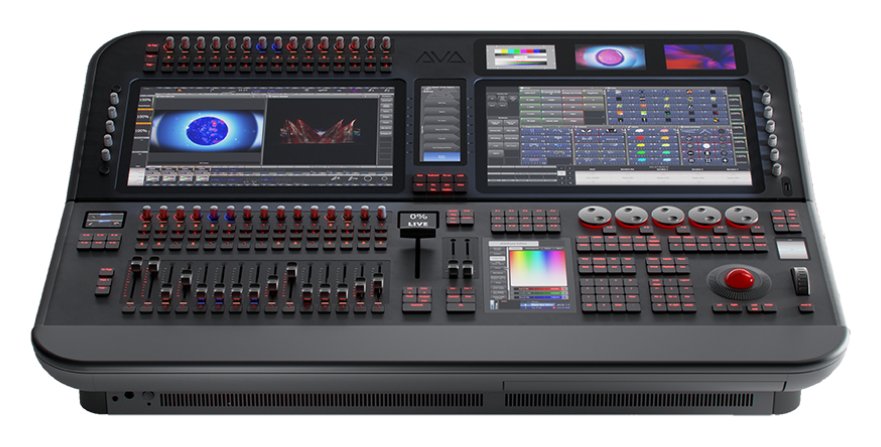
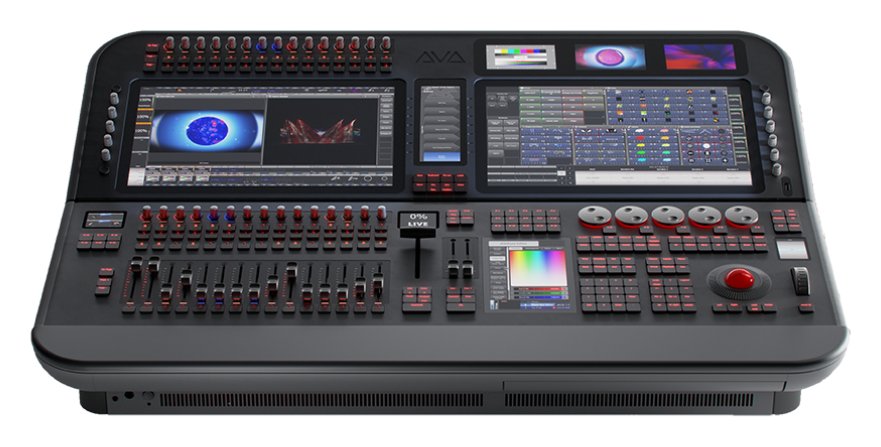
    Avolites Diamond 9-215
    Photo: Avolites

    Where this comparison comes from

    A synthesis of recurring opinions across English-speaking communities (r/lightingdesign, ControlBooth, Blue Room) and operators who run both. See our Avolites review and grandMA3 review.

    Avolites: the busking specialist

    Avolites (Titan software, Diamond and Tiger Touch consoles) has deep roots in live busking — fast, on-the-fly programming for bands, clubs and touring. Operators praise its quick, intuitive workflow and its strength when you’re building a show live rather than pre-plotting every cue. It has a strong following in the UK and live-music scenes.

    grandMA: the global rider standard

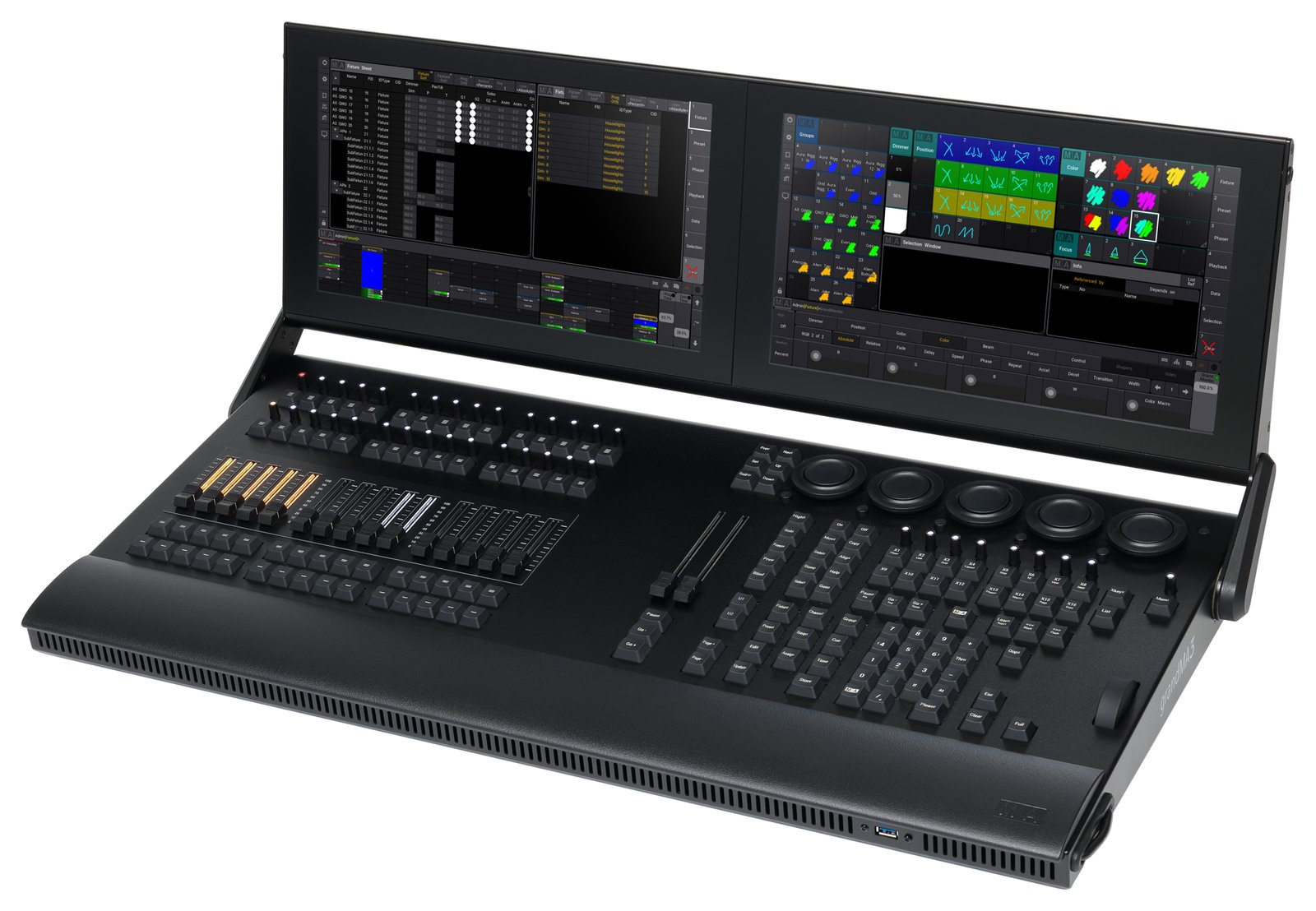
    grandMA (grandMA3, plus the still-ubiquitous grandMA2) is the most widely specified desk on big tours, festivals and TV. Its effects engine, networking and sheer ubiquity make it the expected platform on large productions worldwide — and grandMA3 onPC is free to learn.

    Where each one wins

    Choose Avolites if…

    • You busk shows live and want a fast, intuitive workflow.
    • You work in clubs, live music and UK/European live events.
    • You want power-for-money without the grandMA learning curve.

    Choose grandMA if…

    • You want the global rider standard on the biggest tours and festivals.
    • You need its deep effects engine and networking.
    • You’re building a touring career and want the most in-demand skill.

    The honest difference

    The practical gap is ubiquity vs workflow: grandMA is what you’ll be handed on the biggest gigs (so learning it opens doors), while many operators simply prefer Avolites’ fast busking feel. Both are deep, capable, pro platforms — the right call depends on the shows you want to do and the desks you’ll actually meet.

    My honest take

    If your goal is big-tour and festival work, learn grandMA — it’s the rider standard. If you live in club and live-music busking and love a quick workflow, Avolites is a brilliant tool that many prefer day to day. Plenty of working ops know both. See our pro DMX controller guide and ETC vs grandMA.

    Le Faisceau Rating — Avolites vs grandMA

    Rated with our Le Faisceau rating method (capacity 25% · programming and workflow 30% · ecosystem and networking 15% · value for money 20% · reliability and support 10%). Specs and prices sourced from manufacturer sites and specialist dealers.

    Console Capacity Workflow Ecosyst. Value Reliab. Overall /5
    Avolites Diamond 9-330 💰 Best value 4.9 4.6 4.4 3.6 4.6 4.4 ★★★★½
    grandMA3 full-size 🏆 Best choice 5.0 4.8 4.9 3.5 4.8 4.6 ★★★★½

    🏆 Best choice : grandMA3 full-size — highest overall rating (4.6/5).

    💰 Best value : Avolites Diamond 9-330 — best value-for-money axis (3.6/5).

    FAQ

    Avolites or grandMA for touring?

    grandMA — it’s the global rider standard on big tours and festivals, so the skill is the most in-demand.

    Avolites or grandMA for busking live?

    Both busk well; many operators find Avolites’ Titan workflow faster and more intuitive for building shows live.

    Which is easier to learn?

    Many find Avolites quicker to get going; grandMA has a steeper curve but huge payoff in industry demand. Both are free to try (Titan PC Suite, grandMA3 onPC).

    Which has more job opportunities?

    grandMA appears on the most riders globally; Avolites is strong in UK/European live music. Sector decides.

    Image: Avolites Tiger Touch II by SheffGruff, CC BY-SA 3.0, via Wikimedia Commons.
  • Obsidian Onyx vs ChamSys MagicQ: The Free-Software Battle

    Obsidian Onyx vs ChamSys MagicQ: The Free-Software Battle

    If you want serious lighting control without a flagship budget, two names dominate the value conversation: ChamSys MagicQ and Obsidian Onyx. Both offer powerful, genuinely free software plus affordable hardware. So which should you learn? Here’s an honest head-to-head of what operators report.

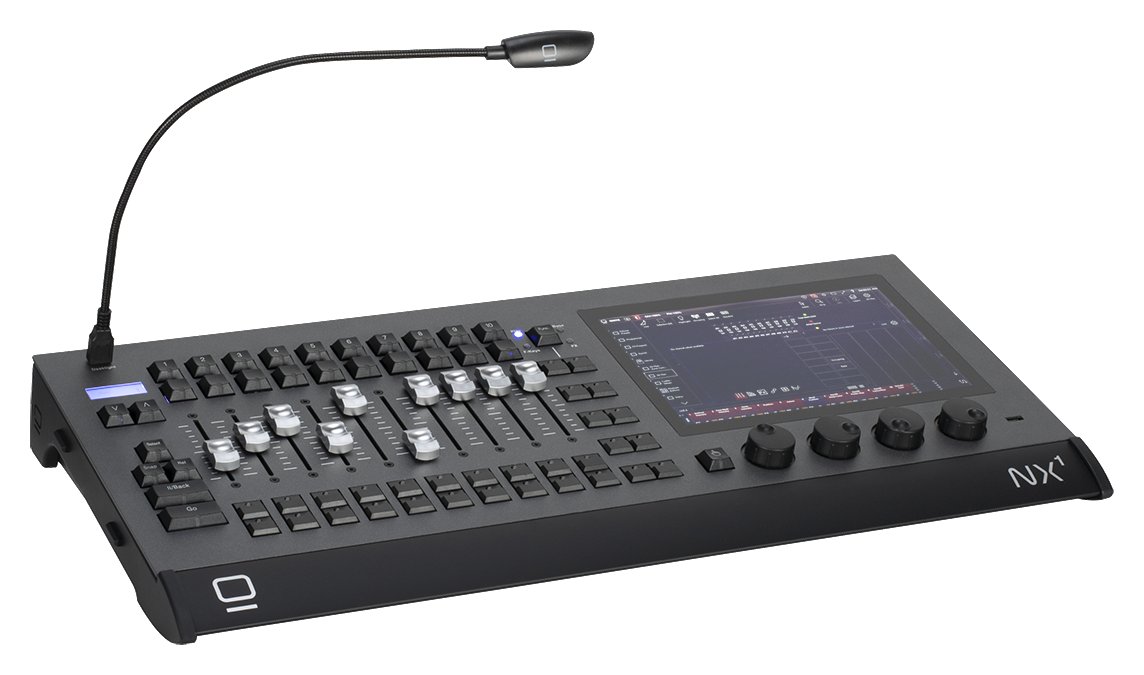
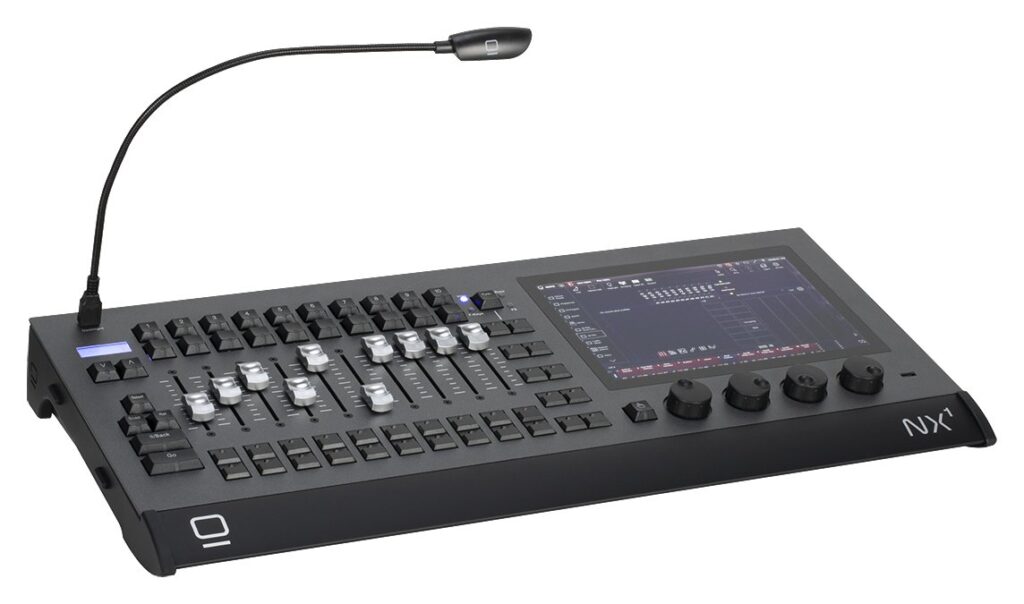
    Obsidian NX1-16
    Photo: Obsidian Control Systems

    Where this comparison comes from

    A synthesis of recurring opinions across English-speaking communities (r/lightingdesign, ControlBooth) and operators who’ve used both. See our ChamSys MagicQ review and Obsidian Onyx review.

    What they share

    Both are the free-software value champions: full-featured software you can download and learn for free, free network output (up to 64 universes of Art-Net/sACN on MagicQ PC, one universe on Onyx’s free licence), affordable consoles (ChamSys MQ; Obsidian NX), and capable live/busking workflows. Either one lets you learn lighting control at home for nothing.

    Where ChamSys MagicQ leads

    • Bigger community and more online tutorials/knowledge.
    • Very deep, busking-focused feature set that rivals far pricier desks.
    • A broader hardware range, from compact MQ consoles to Stadium.

    Where Obsidian Onyx leads

    • A workflow many find approachable coming in fresh.
    • Backing from Elation/Obsidian and tidy NX hardware.
    • A clean, modern feel some prefer to MagicQ’s denser UI.

    The honest differences

    The biggest practical gap is community size: ChamSys has the larger user base and knowledge pool, which matters when you’re stuck. Beyond that, it comes down to UI preference, fixture handling and which hardware fits your budget. Since both are free, the best move is simply to try each.

    My honest take

    Both are outstanding value and a brilliant way to learn. ChamSys edges it on community and busking depth; Onyx appeals if you prefer its workflow and hardware. Download both, run a small rig in each, and pick the one that clicks. See our DMX software guide.

    Le Faisceau Rating — Onyx vs ChamSys

    Rated with our Le Faisceau rating method (capacity 25% · programming and workflow 30% · ecosystem and networking 15% · value for money 20% · reliability and support 10%). Specs and prices sourced from manufacturer sites and specialist dealers.

    Console Capacity Workflow Ecosyst. Value Reliab. Overall /5
    Obsidian NX1 (replaced by the NX1-16) 3.9 4.3 4.3 4.6 4.2 4.3 ★★★★½
    MagicQ MQ70 4.2 4.4 4.6 4.3 4.4 4.4 ★★★★½

    FAQ

    Are ChamSys and Onyx both free?

    Yes — both offer full-featured free software: MagicQ PC outputs up to 64 universes of Art-Net/sACN for free, while Onyx’s free licence unlocks one universe (more with paid licences or hardware). Ideal for learning.

    Which has the bigger community?

    ChamSys MagicQ has the larger user base and more online resources, which helps when troubleshooting.

    Onyx or ChamSys for busking live?

    Both are capable; ChamSys has a deep busking feature set, while many find Onyx more approachable. Try both — they’re free.

    Which should a beginner choose?

    Either. Download both, learn a small rig in each, and keep the one whose workflow you prefer.

    Image: ChamSys PC-Wing by Titanic97, CC BY-SA 3.0, via Wikimedia Commons.
  • ETC vs grandMA: Which Lighting Console Is Right for You?

    ETC vs grandMA: Which Lighting Console Is Right for You?

    ETC or grandMA? It’s the great divide in professional lighting control. Both are flagship platforms, both are everywhere — but they’re built around different philosophies and different sectors. Here’s an honest head-to-head of what operators report, to help you pick the right one for your work.

    ETC Eos Apex
    Photo: ETC

    Where this comparison comes from

    A synthesis of recurring opinions across English-speaking communities (r/lightingdesign, ControlBooth) and operators who use both. See our ETC Eos review and grandMA3 review.

    ETC Eos: the theatre standard

    Eos is built around a command-line, cue-based workflow — ideal for scripted theatre. It dominates theatre and education, especially in the US, so learning it opens theatre careers. Support and training are excellent, and the Eos software is free to download for offline learning (live output needs a paid ETCnomad USB key).

    grandMA: the touring and festival standard

    grandMA is built for busking and large-scale live — concerts, festivals and TV. Its effects engine, networking and rider ubiquity make it the expected desk on big tours, and grandMA3 onPC is free to learn.

    Where each one wins

    Choose ETC Eos if…

    • You work in theatre, opera, education or cue-heavy productions.
    • You want the US theatre standard and its job market.
    • You prefer a command-line, cue-stack workflow.

    Choose grandMA if…

    • You work in concerts, festivals, TV and touring.
    • You busk shows live and lean on a deep effects engine.
    • You want the rider standard on the biggest tours.

    What they share

    Both are deep, pro platforms with free software to learn (the offline Eos software and grandMA3 onPC), strong fixture support and large communities. Many working operators end up learning both, because the sector — not the brand — decides the tool.

    My honest take

    There’s no “better” here: theatre leans ETC, live/touring leans grandMA. Pick by the shows you want to do, learn it deeply (both are free to start), and add the other later if your career crosses sectors. See our pro DMX controller guide.

    Le Faisceau Rating — ETC vs grandMA

    Rated with our Le Faisceau rating method (capacity 25% · programming and workflow 30% · ecosystem and networking 15% · value for money 20% · reliability and support 10%). Specs and prices sourced from manufacturer sites and specialist dealers.

    Console Capacity Workflow Ecosyst. Value Reliab. Overall /5
    Eos Gio @5 💰 Best value 4.7 4.7 4.6 3.8 4.9 4.5 ★★★★½
    grandMA3 light 🏆 Best choice 4.8 4.8 4.9 3.6 4.8 4.6 ★★★★½

    🏆 Best choice : grandMA3 light — highest overall rating (4.6/5).

    💰 Best value : Eos Gio @5 — best value-for-money axis (3.8/5).

    FAQ

    ETC or grandMA for theatre?

    ETC Eos — it’s the theatre standard, built for cue-based work, and dominant in US theatre and education.

    ETC or grandMA for concerts and touring?

    grandMA — it’s built for busking and is the rider standard on big tours and festivals.

    Can I learn both for free?

    Yes — the free Eos software and grandMA3 onPC both let you learn on a computer (DMX output needs a paid ETCnomad USB key on the ETC side, or MA hardware such as an onPC node, command wing or DMX key).

    Which has more job opportunities?

    It depends on sector: theatre/education favours ETC; concert/festival/TV favours grandMA.

    Image: ETC Ion XE20 by Masonvanmeurs, CC BY-SA 4.0, via Wikimedia Commons.

    Read also: ETC ColorSource Review: ETC Quality, Simply

  • grandMA2 vs grandMA3: The Honest Transition Guide

    grandMA2 vs grandMA3: The Honest Transition Guide

    For years the lighting world has wrestled with one transition: grandMA2 or grandMA3? The grandMA2 is the beloved, mature workhorse of the 2010s; the grandMA3 is MA Lighting’s powerful new platform — and the future. Here’s an honest head-to-head of what operators report.

    MA Lighting grandMA3 compact XT
    Photo: MA Lighting

    Where this comparison comes from

    A synthesis of recurring opinions across English-speaking communities (r/lightingdesign, ControlBooth, MA forums) and operators who run both. See also our grandMA3 review and grandMA guide.

    grandMA2: the mature workhorse

    The grandMA2 dominated big shows for a decade. Operators praise its stability, familiarity and huge installed base — it’s proven, predictable and known by a generation of programmers. The catch: the hardware is discontinued, so it’s a sunsetting (if still everywhere) platform.

    grandMA3: the powerful future

    The grandMA3 brings new hardware (more faders and encoders, better screens) and a more powerful software architecture. The well-known caveat: early grandMA3 software lagged grandMA2 on features and stability, so many operators ran it in “grandMA2 mode” for years. It has matured significantly and native MA3 is now the path forward.

    The transition, honestly

    1. MA2 mode eased the switch

    grandMA3 hardware can run in grandMA2 mode, which let operators adopt the new desks while keeping the familiar workflow — a key reason the transition was gradual.

    2. MA3 native has matured

    The early-days bugs and missing features that fuelled scepticism have largely been addressed; native grandMA3 is now solid and capable.

    3. MA2 is still everywhere

    Despite being discontinued, grandMA2 remains widespread on the installed and rental base, so knowing it still has value.

    Which should you learn or buy?

    The community consensus:

    • New buyers and learners: go grandMA3 (native mode) — it’s the future, and onPC is free to learn.
    • Existing grandMA2 operators: transition to grandMA3 native at your pace; MA2 knowledge still pays off near-term.

    My honest take

    grandMA3 is the future and is now mature — learn it natively for career longevity. grandMA2 remains a reliable, ubiquitous workhorse on the existing base, so it’s far from dead. If you’re starting fresh, commit to MA3 native; the MA2-mode crutch is no longer necessary. See our pro DMX controller guide.

    Le Faisceau Rating — grandMA2 vs grandMA3

    Rated with our Le Faisceau rating method (capacity 25% · programming and workflow 30% · ecosystem and networking 15% · value for money 20% · reliability and support 10%). Specs and prices sourced from manufacturer sites and specialist dealers.

    Console Capacity Workflow Ecosyst. Value Reliab. Overall /5
    grandMA2 full-size (discontinued) 4.6 4.7 4.6 4.0 4.7 4.5 ★★★★½
    grandMA3 full-size 5.0 4.8 4.9 3.5 4.8 4.6 ★★★★½

    FAQ

    grandMA2 or grandMA3 for a new buyer?

    grandMA3 — it’s the future, the software has matured, and onPC is free to learn. MA2 hardware is discontinued.

    Is grandMA3 better than grandMA2 now?

    After years of maturing, native grandMA3 is powerful and solid. Early on it lagged MA2, which is why “MA2 mode” was widely used.

    Is grandMA2 obsolete?

    No — it’s discontinued but still widespread and reliable on the installed/rental base, so the skills remain valuable.

    What is grandMA2 mode?

    A mode on grandMA3 hardware that runs the grandMA2 software workflow, which eased the transition for existing operators.

    Image: grandMA at front of house by Hullian111, CC BY-SA 4.0, via Wikimedia Commons.

  • How Many DMX Universes Do You Need?

    How Many DMX Universes Do You Need?

    “How many DMX universes do I need?” is one of the most common — and most misunderstood — questions when sizing a console. Buy too few and you’re stuck; pay for too many and you’ve wasted budget. Here’s an honest, practical way to work it out.

    Where these takes come from

    A synthesis of recurring advice across English-speaking communities (r/lightingdesign, ControlBooth) and working operators. See also our what is a DMX controller primer.

    First, the basics

    One DMX universe = 512 channels. Each fixture uses a number of channels set by its mode/profile — a simple LED par might use 3–8, a feature-rich moving head can use 20–40+. Your universe count is driven by total channels, not by the number of fixtures alone.

    How to estimate your channel count

    1. List every fixture and the mode you’ll run it in.
    2. Multiply each fixture’s channel footprint by how many you have.
    3. Add them up — that’s your total channels.
    4. Divide by 512, then round up and add headroom for future fixtures and pixel content.

    Example: 12 moving heads at 24 channels = 288, plus 24 LED pars at 6 = 144, plus a few specials = ~470 channels → one universe is nearly full. Add anything and you need a second. Pixel/LED tape content can explode channel counts fast, so plan generously.

    Console output vs licensed universes

    Two numbers matter and people confuse them:

    • Physical DMX outputs (XLR ports) on the console.
    • Total universes the console/software can process and output over the network (Art-Net/sACN), often far more than its XLR ports.

    Many modern consoles output a few universes over XLR but dozens over the network to nodes/gateways. Free software varies: ChamSys MagicQ outputs up to 64 universes over Art-Net/sACN for free, the free Onyx licence outputs one universe, and grandMA3 onPC needs MA hardware to output DMX — see our software guide.

    Rough sizing by show type

    • Small bar / mobile DJ / simple par rig: 1 universe is usually plenty.
    • School / community theatre / small live: 1–2 universes.
    • Mid-size live / event with moving lights: 2–4 universes.
    • Large concert / festival / heavy pixel content: many universes — plan for network output and nodes.

    My honest take

    Count channels, not fixtures, round up, and buy headroom — rigs only ever grow, and pixel content eats universes fast. For most small shows one or two universes is enough; the moment you add lots of moving heads or pixels, think in network universes and nodes. Don’t over-buy hardware ports when free software plus a node may cover you. See our beginner guide and best console under $1,000.

    FAQ

    How many channels are in a DMX universe?

    512. Your universe count depends on total channels used by all fixtures in their chosen modes — not the fixture count alone.

    How do I work out how many universes I need?

    Add up every fixture’s channel footprint, divide by 512, round up and add headroom for growth and pixel content.

    Why do moving heads use so many universes?

    They use many channels each (often 20–40+), so a dozen of them can fill most of a universe on their own.

    Do I need physical DMX ports for every universe?

    No — most consoles output extra universes over the network (Art-Net/sACN) to nodes/gateways, well beyond their XLR ports.

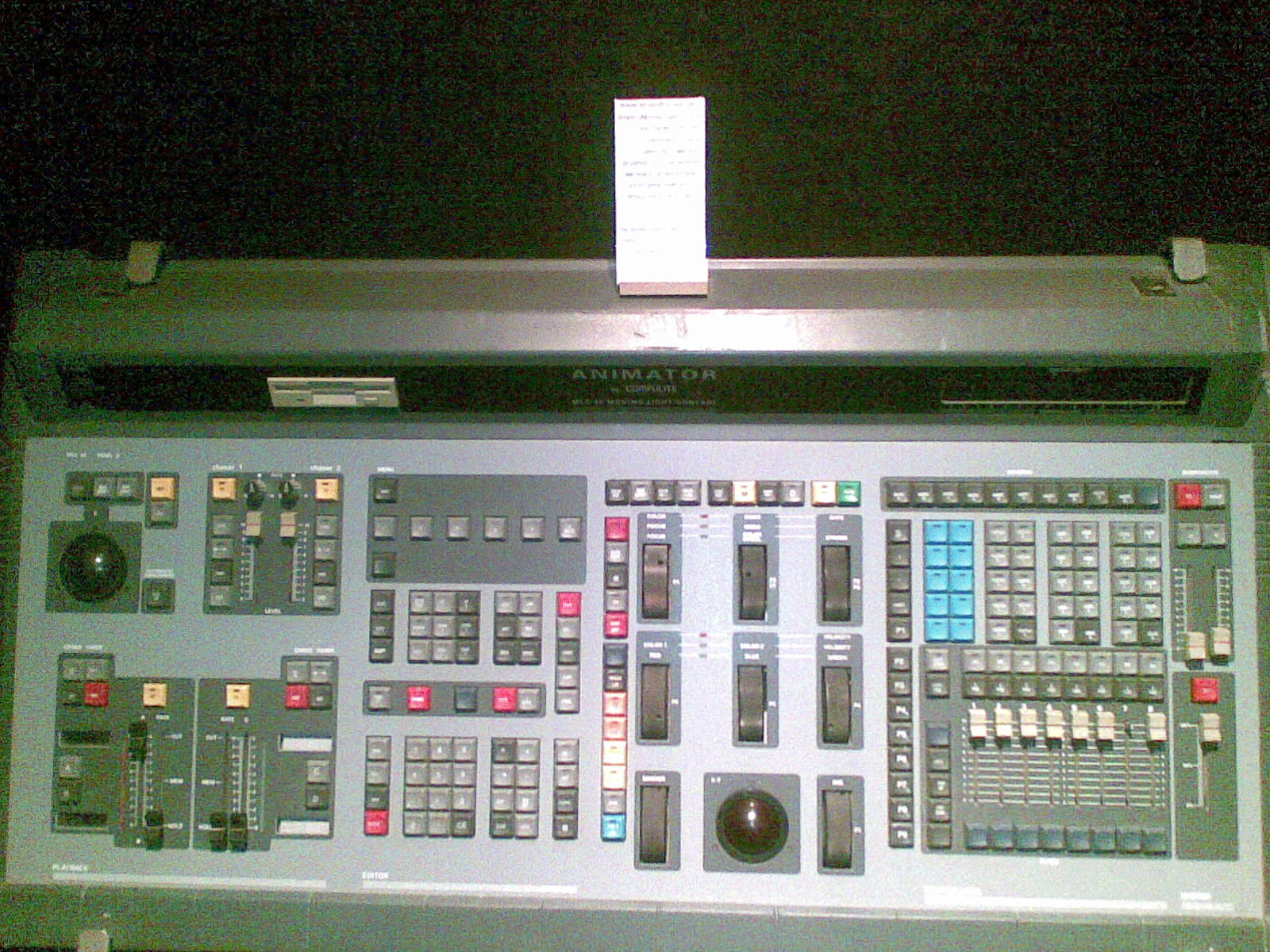
    Photo credit: Photo: Stage Lighting Museum / Dan Redler, CC BY-SA 3.0, via Wikimedia Commons

    Read also: Which DMX cables should you choose?

  • Common DMX Problems and How to Fix Them

    Common DMX Problems and How to Fix Them

    DMX is a brilliantly simple protocol — until a fixture flickers, a whole branch goes dark, or a moving head does the “DMX shimmy” for no obvious reason. The good news: the same handful of faults cause most problems. Here’s an honest field guide to what goes wrong and how operators fix it.

    Where these takes come from

    A synthesis of recurring troubleshooting advice across English-speaking communities (r/lightingdesign, ControlBooth) and working operators. See also our what is a DMX controller primer.

    1. No DMX terminator (the classic)

    The single most common cause of flicker and erratic moving lights: no terminator on the last fixture. A 120-ohm terminator plug stops signal reflections on the line. Symptoms — random flicker, jittery movement, intermittent fixtures — often vanish the moment you terminate. Always carry spare terminators.

    2. Wrong DMX address or overlapping fixtures

    If two fixtures share addresses they’ll mirror each other; if an address is wrong a fixture ignores you or responds oddly. Double-check every fixture’s start address and channel footprint (its mode/profile decides how many channels it eats). Address conflicts are a top cause of “why is that light doing its own thing?”

    3. The wrong cable

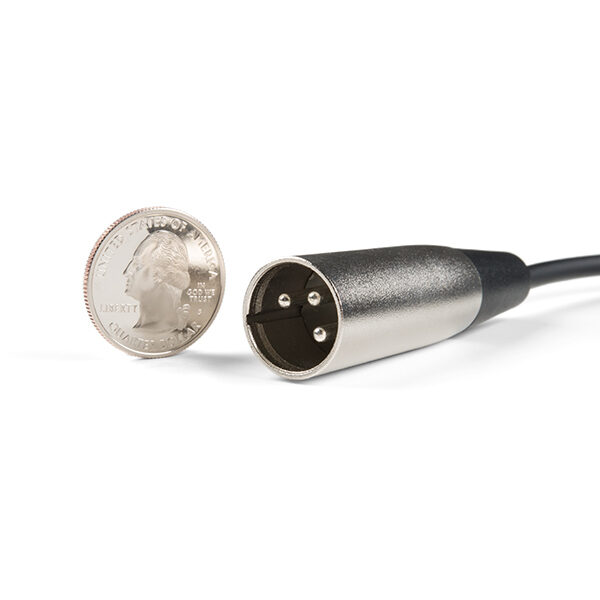
    Using microphone (audio) XLR cable instead of proper DMX cable works… until it doesn’t. Audio cable has the wrong impedance and causes intermittent, hard-to-trace faults on longer runs. Use real DMX cable, especially for anything beyond a few metres.

    4. Too many fixtures / too long a run

    DMX is limited to 32 devices per line and roughly 300 m total before signal degrades. Past that, add a DMX splitter/booster (opto-isolated) to start fresh branches. Splitters also protect your console from a faulty fixture feeding voltage back up the line.

    5. A single bad fixture or cable poisoning the chain

    One faulty fixture or a damaged cable can corrupt everything downstream. Bisect the line: unplug halfway, see which half recovers, and keep halving until you find the culprit. Carry known-good spare cables for swap-testing.

    6. Universe / patch mismatches

    On bigger rigs, check the fixture is on the universe your console is actually outputting, that the output node/gateway is mapped correctly, and that Art-Net/sACN settings (universe numbers, unicast/multicast) match end to end. See our DMX system guide.

    My honest take

    When DMX misbehaves, work the basics in order: terminator → addresses → cable type → line length/splitter → bisect for a bad device → universe/patch. Nine times out of ten it’s a missing terminator, an address clash or the wrong cable. Carry spare DMX cable and terminators to every gig and you’ll fix most problems in minutes. See our beginner guide.

    FAQ

    Why do my DMX fixtures flicker?

    Most often a missing 120-ohm terminator on the last fixture, the wrong cable (audio instead of DMX), or a too-long/overloaded line. Terminate first.

    Do I really need a DMX terminator?

    Yes — on longer or larger rigs it prevents signal reflections that cause flicker and jitter. It’s the first thing to check.

    Can I use a microphone XLR cable for DMX?

    It may work short-term but has the wrong impedance and causes intermittent faults. Use proper DMX cable, especially over distance.

    How many fixtures can one DMX line handle?

    Up to 32 devices and around 300 m before you need an opto-isolated splitter/booster to start a fresh branch.

    Photo credit: Photo: SparkFun Electronics, CC BY 2.0, via Wikimedia Commons

    Read also: Which DMX cables should you choose?

  • Best Lighting Console Under $1,000 (2026)

    Best Lighting Console Under $1,000 (2026)

    What’s the best lighting console you can buy for under $1,000? The honest answer surprises people: your most powerful option at this price often isn’t a console at all — it’s free software plus an interface. But if you want hardware faders and buttons, there are real picks too. Here’s an honest round-up.

    Where these takes come from

    A synthesis of recurring recommendations across English-speaking communities (r/lightingdesign, ControlBooth) and budget-minded operators. See also our best console for beginners and budget DMX controller guides.

    The most powerful option: free software + a wing

    For raw capability per dollar, nothing beats free console software plus an affordable hardware wing or USB-DMX interface:

    • ChamSys MagicQ + a MagicDMX USB interface — huge power, big community, and the free software outputs up to 64 universes over Art-Net/sACN (ChamSys wings such as the MagicQ Mini Connect cost around the $1,000 mark or more). See our MagicQ review.
    • Obsidian Onyx + an NX DMX interface — approachable and capable (the free Onyx licence outputs one universe; more needs a paid licence, and NX wings such as the NX P mostly cost more than this budget). See our Onyx review.
    • grandMA3 onPC — free to learn the touring standard offline; outputting DMX requires MA hardware, and the grandMA3 onPC Command Wing alone costs several thousand (approx. GBP 5,890 at Thomann UK), far beyond this budget. See our grandMA3 review.

    You can run moving lights and effects (and, with MagicQ, many universes) — things no sub-$1,000 hardware-only controller can match.

    What you can actually buy new under $1,000 (prices checked, October 2026)

    • Wolfmix W1 MK3, around £690: the one standalone controller under the budget with a real fixture library and generated movement, colour and beam effects, two universes (four optional). No cue list, so it is a busking tool, not a theatre desk. See our Wolfmix W1 MK3 review.
    • Daslight DVC Gold, around £400: two universes, four XLR outputs, standalone playback, with Daslight 5 on your laptop. The most power per pound for moving heads. See controller vs software.
    • Enttec DMX USB Pro, around £150: the interface that turns free QLC+ or MagicQ PC into a reliable one-universe system.
    • Chauvet DJ Obey 70, around €140, or Eurolite DMX Move Control 512, around £160: the hardware-only route if you refuse a computer and have a few moving heads.

    If you want a real hardware console

    Theatre / education

    The Zero 88 FLX S range is a long-standing favourite for being easy and affordable — a genuine small console rather than a basic controller. Note that FLX S desks (now sold under the Vari-Lite brand) cost more than $1,000 new (the FLX S24 bundle is approx. GBP 1,699 at Thomann UK), so at this budget look at the used market or stretch.

    Live / events

    Entry ChamSys (QuickQ / MQ50) and small Obsidian NX consoles bring real power and grow with you, but they cost well over $1,000 new (a QuickQ 10+ is approx. GBP 1,977 and an MQ50 approx. GBP 4,799 at Thomann UK) — at this budget they are used-market or stretch purchases.

    What to avoid at this budget

    1. Basic controllers if you have moving heads

    A cheap Chauvet Obey or 192-channel box is fine for simple par cans, but painful with moving lights — see our budget controller guide.

    2. Spending on hardware before you know your sector

    Learn on free software first; you’ll choose far better hardware once you understand your workflow.

    My honest take

    Under $1,000, your smartest buy is usually free software (ChamSys or Onyx) plus an affordable USB-DMX interface — it out-powers any hardware-only controller at this price (grandMA3 onPC is great for learning, but outputting DMX needs costly MA hardware). If you specifically want a self-contained console, the Zero 88 FLX S (theatre) or entry ChamSys/Obsidian (live) are the standouts — but expect to buy used or stretch past $1,000 for a new unit. Choose by sector, not by spec sheet. See our beginner guide.

    Le Faisceau Rating — lighting consoles under $1,000

    Rated with our Le Faisceau rating method (capacity 25% · programming and workflow 30% · ecosystem and networking 15% · value for money 20% · reliability and support 10%). Specs and prices sourced from manufacturer sites and specialist dealers.

    Console Capacity Workflow Ecosyst. Value Reliab. Overall /5
    Chauvet DJ Obey 70 🏆 Best choice 2.4 3.4 3.0 4.6 3.8 3.4 ★★★½☆
    ChamSys QuickQ 10 (replaced by the QuickQ 10+) 3.1 4.2 3.9 4.7 4.2 4.0 ★★★★☆
    Obsidian NX Touch (discontinued) 3.3 4.1 4.2 4.7 4.1 4.0 ★★★★☆
    Eurolite DMX Move Controller 512 💰 Best value 2.3 3.2 2.8 4.7 3.6 3.3 ★★★½☆

    🏆 Best choice : Chauvet DJ Obey 70 — highest overall rating (3.4/5).

    💰 Best value : Eurolite DMX Move Controller 512 — best value-for-money axis (4.7/5).

    FAQ

    What’s the best lighting console under $1,000?

    For most people, free software (ChamSys/Onyx) plus an affordable USB-DMX interface — it out-powers hardware-only controllers at this price. For a self-contained desk, the Zero 88 FLX S or entry ChamSys/Obsidian, bought used or with a slightly bigger budget, since new units cost more than $1,000.

    Is software really better than a cheap console?

    For moving lights and effects, yes — free software plus an interface gives far more capability than a sub-$1,000 hardware-only controller.

    Which hardware console is best for theatre on a budget?

    The Zero 88 FLX S is a favourite for being easy, affordable and a real console rather than a basic controller.

    Should I buy hardware or learn software first?

    Learn on free software with a cheap interface first; you’ll choose better hardware once you know your sector and workflow.

    Photo credit: Photo: Beyond silence, CC0, via Wikimedia Commons

    Read also: How Many DMX Universes Do You Need? · Common DMX Problems and How to Fix Them

    Read also: What Is DMX512? The Stage Lighting Protocol Explained

    Read also: GDTF and MVR Explained: A Guide for Lighting Programmers

  • Best Budget DMX Controller: What to Buy (and When to Upgrade)

    Best Budget DMX Controller: What to Buy (and When to Upgrade)

    If you just need to control a handful of DMX fixtures on a tight budget, a simple hardware controller can get you going for very little. But there’s a catch the forums repeat constantly: you’ll outgrow a basic controller fast. Here’s an honest round-up of what to buy, and when to step up.

    Where these takes come from

    A synthesis of recurring recommendations across English-speaking communities (r/lightingdesign, ControlBooth) and budget-minded operators. See also our what is a DMX controller primer.

    When a simple controller is enough

    A basic hardware controller makes sense if you have a few fixtures, mostly static or simple looks, and want plug-and-play with no computer. Typical picks include the Chauvet Obey series, ADJ DMX Operator units and generic “192-channel” controllers.

    Prices checked (October 2026)

    • Chauvet DJ Obey 40, around £110: 192 channels, 12 fixtures × 16 channels, 240 scenes. Pars and simple effects only. See Obey 40 vs Obey 70.
    • Chauvet DJ Obey 70, around €140: 384 channels, 12 × 32, joystick, 14 faders. The budget pick once moving heads appear.
    • ADJ DMX Operator 384, around £110: same 12 × 32 architecture with joystick; retired by ADJ but still in stock.
    • Eurolite DMX Move Control 512, around £160: a full universe, 28 fixtures, jog wheels and built-in movement patterns; the most capable sub-£200 box for moving heads (availability varies by country).
    • Enttec DMX USB Pro, around £150, or Daslight DVC Fun, around £160: the “smarter budget move” below, with free or bundled software. See DMX controller vs software.

    Full rankings by number of moving heads: best DMX controller for moving heads.

    What owners actually report

    1. Basic controllers struggle with moving lights

    The most repeated warning: cheap controllers are painful (or impossible) for moving heads, pixel effects and anything complex. They’re built for simple par-can style control.

    2. Limited programming and recall

    Scene/chase storage is basic; you’ll quickly hit the ceiling as your rig grows.

    3. Build is entry-level

    Functional, but not gig-tough at the cheapest end.

    4. The smarter “budget” move

    A recurring tip: for similar money, free software (ChamSys or Onyx) plus a cheap USB-DMX interface gives vastly more capability — including moving lights and effects — than a basic hardware controller.

    Simple controller vs free software

    If you truly want no computer and only simple control, a basic controller is fine. But if you have (or will have) moving lights, the software route wins decisively. See our DMX software guide and our best console for beginners.

    My honest take

    For a few simple fixtures with no computer, a basic Chauvet/ADJ-style controller is a cheap, cheerful start. But the moment moving lights or effects enter the picture, free software plus a USB-DMX interface is the better budget buy — more power, and room to grow. Don’t spend twice.

    Le Faisceau Rating — budget DMX controllers

    Rated with our Le Faisceau rating method (capacity 25% · programming and workflow 30% · ecosystem and networking 15% · value for money 20% · reliability and support 10%). Specs and prices sourced from manufacturer sites and specialist dealers.

    Console Capacity Workflow Ecosyst. Value Reliab. Overall /5
    Chauvet DJ Obey 70 2.4 3.4 3.0 4.6 3.8 3.4 ★★★½☆
    ChamSys QuickQ 10 (replaced by the QuickQ 10+) 3.1 4.2 3.9 4.7 4.2 4.0 ★★★★☆
    Zero 88 FLX S24 🏆 Best choice 3.6 4.4 4.3 4.6 4.5 4.2 ★★★★☆
    Obsidian NX Touch (discontinued) 3.3 4.1 4.2 4.7 4.1 4.0 ★★★★☆

    🏆 Best choice : Zero 88 FLX S24 — highest overall rating (4.2/5).

    FAQ

    What’s the best budget DMX controller?

    For simple, static fixtures with no computer, basic Chauvet Obey or ADJ DMX Operator units work. For more, free software plus a USB-DMX interface is better value.

    Can a cheap controller run moving lights?

    Poorly — basic controllers struggle with moving heads and effects. Use software/a console for those.

    Is free software better than a budget controller?

    For anything beyond simple looks, yes: ChamSys or Onyx plus a cheap interface gives far more capability for similar money.

    When should I move up to a console?

    Once you have moving lights, want effects, or need reliable scene/cue recall — that’s the time to go software or a proper console.

    Photo credit: Photo: Morn, CC BY-SA 4.0, via Wikimedia Commons

    Read also: Essential accessories for your lighting console · Flight case for a lighting console: how to choose

  • Best Lighting Console for Beginners (2026)

    Best Lighting Console for Beginners (2026)

    What’s the best lighting console for a beginner? The great news: you can start learning serious lighting control for free, then buy hardware once you know what you need. Here’s an honest round-up of what operators and teachers recommend for someone starting out.

    Where these takes come from

    A synthesis of recurring recommendations across English-speaking communities (r/lightingdesign, ControlBooth) and educators. See also our what is a DMX controller primer.

    Start with free software (the universal advice)

    The number-one tip for beginners: download free console software and learn at home with a cheap USB-DMX interface before buying hardware. The leading free options:

    • ChamSys MagicQ — full-featured, big community, free DMX universes. See our MagicQ review.
    • Obsidian Onyx — free, approachable, NX hardware path. See our Onyx review.
    • grandMA3 onPC — learn the industry-standard touring desk for free (outputting DMX to real fixtures requires MA hardware). See our grandMA3 review.
    • ETC Nomad — learn the theatre standard for free (driving real fixtures requires a paid ETCnomad output licence).

    Starter kits with prices checked (October 2026)

    • Learn for almost nothing: QLC+ (free) with an Enttec DMX USB Pro, around £150. Real cues, effects and a fixture library on one universe.
    • A first hardware box for pars: Chauvet DJ Obey 40, around £110. See Obey 40 vs Obey 70 before buying if you own a moving head.
    • No computer, real effects: Wolfmix W1 MK3, around £690, for DJs, bands and bars that improvise. Our review.
    • A first true console: ChamSys QuickQ 10+, around €2,220, whose show files load on any MagicQ, or Zero 88 FLX S24, around €1,760, for theatre and education.

    Then pick a console by your sector

    Theatre / education

    The Zero 88 FLX (and FLX S) (now sold under the Vari-Lite brand) is easy and affordable; ETC Eos (Element/Ion) is the bigger theatre standard.

    Live / events / clubs

    ChamSys (MQ50/MQ70) and Obsidian NX offer the most power for the money and busking-friendly workflows.

    Aiming at touring

    Learn grandMA3 onPC now — it’s the rider standard you’ll meet on big shows.

    What beginners should avoid

    1. Buying expensive hardware too early

    Learn on free software first; you’ll choose better hardware once you understand your workflow and sector.

    2. Ultra-basic controllers if you have moving lights

    Simple hardware controllers struggle with moving heads and effects — software/consoles handle them far better (see our budget DMX controller guide).

    My honest take

    For most beginners: learn on free software (ChamSys, Onyx, grandMA3 onPC or Nomad) with a cheap DMX interface, then buy a console that matches your sector — Zero 88/ETC for theatre, ChamSys/Onyx for live, grandMA for touring ambitions. It’s the cheapest, smartest way to start.

    Le Faisceau Rating — best consoles for beginners

    Rated with our Le Faisceau rating method (capacity 25% · programming and workflow 30% · ecosystem and networking 15% · value for money 20% · reliability and support 10%). Specs and prices sourced from manufacturer sites and specialist dealers.

    Console Capacity Workflow Ecosyst. Value Reliab. Overall /5
    ChamSys QuickQ 20 (replaced by the QuickQ 20+) 3.4 4.3 4.0 4.7 4.3 4.1 ★★★★☆
    ETC ColorSource 20 3.2 4.2 4.3 4.6 4.7 4.1 ★★★★☆
    Zero 88 FLX S24 🏆 Best choice 3.6 4.4 4.3 4.6 4.5 4.2 ★★★★☆
    Obsidian NX1 (replaced by the NX1-16) 3.9 4.3 4.3 4.6 4.2 4.3 ★★★★½

    🏆 Best choice : Zero 88 FLX S24 — highest overall rating (4.2/5).

    FAQ

    What’s the best lighting console for beginners?

    Start with free software (ChamSys, Onyx, grandMA3 onPC, ETC Nomad), then buy by sector: Zero 88/ETC for theatre, ChamSys/Onyx for live.

    Do I need to buy hardware to learn?

    No — free software plus a cheap USB-DMX interface lets you learn and even run small shows.

    Which console for a school or community theatre?

    The Zero 88 FLX is a favourite for being easy and affordable; ETC is the larger theatre standard.

    Which to learn for a touring career?

    grandMA3 (onPC is free) — it’s the rider standard on big tours and festivals.

    Photo credit: Photo: JD, CC BY-SA 4.0, via Wikimedia Commons

    Read also: How Many DMX Universes Do You Need? · Common DMX Problems and How to Fix Them

    Read also: What Is DMX512? The Stage Lighting Protocol Explained

    Read also: GDTF and MVR Explained: A Guide for Lighting Programmers

  • Chauvet DJ Obey Review: The Honest Budget Starter

    Chauvet DJ Obey Review: The Honest Budget Starter

    The Chauvet DJ Obey series is where a lot of people take their first step into “real” DMX control. It is cheap, it is everywhere, and it does exactly one job well — but it also has a hard ceiling that owners run into sooner than they expect. Here is an honest owner-level look at what the Obey range delivers and where it frustrates, drawn from community opinion rather than a hands-on test.

    Where these takes come from

    A synthesis of recurring owner opinions across English-speaking communities (r/lightingdesign, ControlBooth, mobile-DJ forums). See also our budget DMX controller guide and what is a DMX controller primer. The framing stays honest throughout: this is what owners report, not first-hand bench testing.

    What owners love

    1. Cheap, simple, plug-and-play

    The biggest draw is obvious: the Obey is inexpensive, needs no computer, and gets simple par-can and wash rigs lit in minutes. For a mobile DJ setting up in a hurry or a small bar with a fixed rig, owners say that is frequently all that is required. There is no software to install, no laptop to babysit — you plug in and go.

    2. Reliable for static looks and chases

    For scenes, manual fader control and basic chases, owners report the Obey is dependable night after night. Within the narrow lane it was designed for, it simply works, and that consistency is a big part of why it is so widely recommended as a first controller.

    3. Hardware faders feel good for the money

    Physical faders and bump buttons beat fiddling with a phone app for live, hands-on control of brightness and color. Owners appreciate the tactile immediacy — being able to grab a fader in the moment rather than tapping a touchscreen is a genuine advantage for live use at this price.

    What owners flag

    1. Painful with moving heads

    The recurring warning: the Obey range is built for simple fixtures, and programming moving heads — pan, tilt, gobos and multiple parameters — is slow and awkward. Owners note that the bigger Obey units only partly help. If moving lights are central to your rig, this is the limitation that will define your experience with the desk.

    2. Limited scenes and programming depth

    Scene and chase storage is basic, and owners say you hit that ceiling quickly as the rig grows. What feels ample for a handful of pars becomes cramped the moment you add fixtures and want more looks to recall.

    3. No real effects engine

    There is no proper effects generator, so any movement has to be built manually — and owners are candid that this gets tedious fast. The kind of automated pan/tilt and color effects that make bigger consoles quick simply are not there.

    4. You’ll outgrow it

    The most common refrain of all: people buy an Obey, love it for six months, then wish they had gone straight to free software such as ChamSys or Onyx the moment they added moving lights. It is less a criticism of the desk than a warning about buying for where your rig is heading, not just where it is today.

    Who it’s for

    The Obey series is genuinely good for mobile DJs and small venues with a few simple fixtures who want no computer and instant control. If you have (or plan to add) moving heads, or you want real effects, look instead at free software plus a USB-DMX interface, or a beginner console like the Zero 88 FLX or Obsidian Onyx.

    My honest take

    The community synthesis is refreshingly consistent: the Chauvet Obey range does exactly what it promises — cheap, simple, no-computer control of simple fixtures. It is a fine first controller, provided you go in knowing you will outgrow it the day moving lights arrive. The editorial advice that comes up again and again is that if that day is coming soon, skip the Obey and start on free software instead, sparing yourself the six-month detour. See our best console for beginners.

    Le Faisceau Rating — Chauvet DJ Obey 70

    Rated with our Le Faisceau rating method (capacity 25% · programming and workflow 30% · ecosystem and networking 15% · value for money 20% · reliability and support 10%). Specs and prices sourced from manufacturer sites and specialist dealers.

    Console Capacity Workflow Ecosyst. Value Reliab. Overall /5
    Chauvet DJ Obey 70 2.4 3.4 3.0 4.6 3.8 3.4 ★★★½☆

    Overall rating: 3.4/5 ★★★½☆ — weighted synthesis of our five evaluation axes.

    FAQ

    Is the Chauvet Obey good for beginners?

    For simple, static fixtures and no computer, yes — it is cheap and easy. For moving heads or effects, owners generally agree free software is a better start.

    Can the Obey control moving heads?

    It can, but programming them is slow and awkward — the range is really built for simple par-style fixtures, and moving-light work exposes its limits fast.

    Obey or free software?

    If you want no computer and only simple looks, the Obey. The moment moving lights or effects matter, ChamSys or Onyx plus a USB-DMX interface wins by a clear margin.

    Will I outgrow the Obey?

    Most owners do, once the rig grows. Many say they wish they had gone straight to software or a beginner console from the start rather than replacing the Obey later.

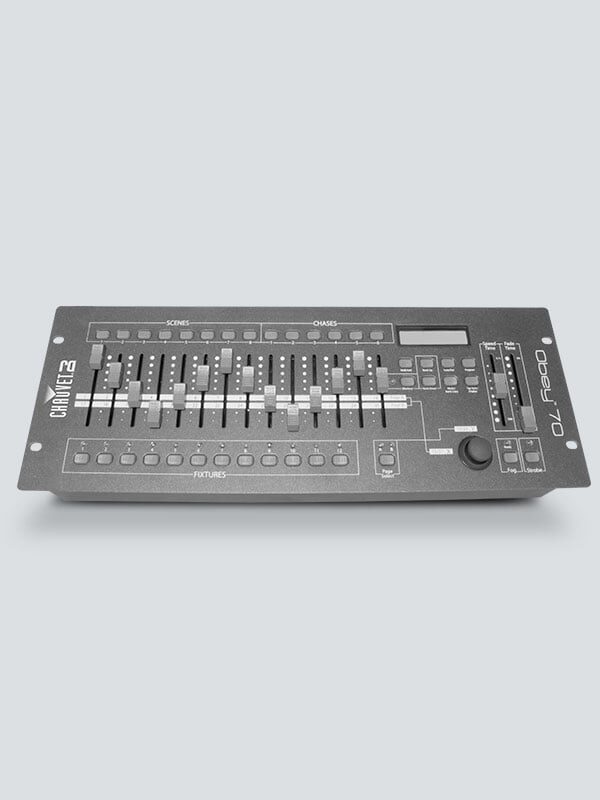
    Photo credit: Photo: Chauvet DJ (chauvetdj.com)